Windsurf (now Devin Desktop, Cognition)
A desktop IDE whose first run is a short native wizard: pick a color theme, choose keybindings, optionally import settings from VS Code or Cursor, install a terminal command, then sign in. After setup the start page opens on the agent input box.

Notes
- The docs page (docs.windsurf.com/windsurf/getting-started) now 307-redirects to docs.devin.ai/desktop/getting-started; the product was rebranded to Devin Desktop and the docs note repository URLs "still use the pre-rebrand windsurf naming, but the package is now called devin-desktop".
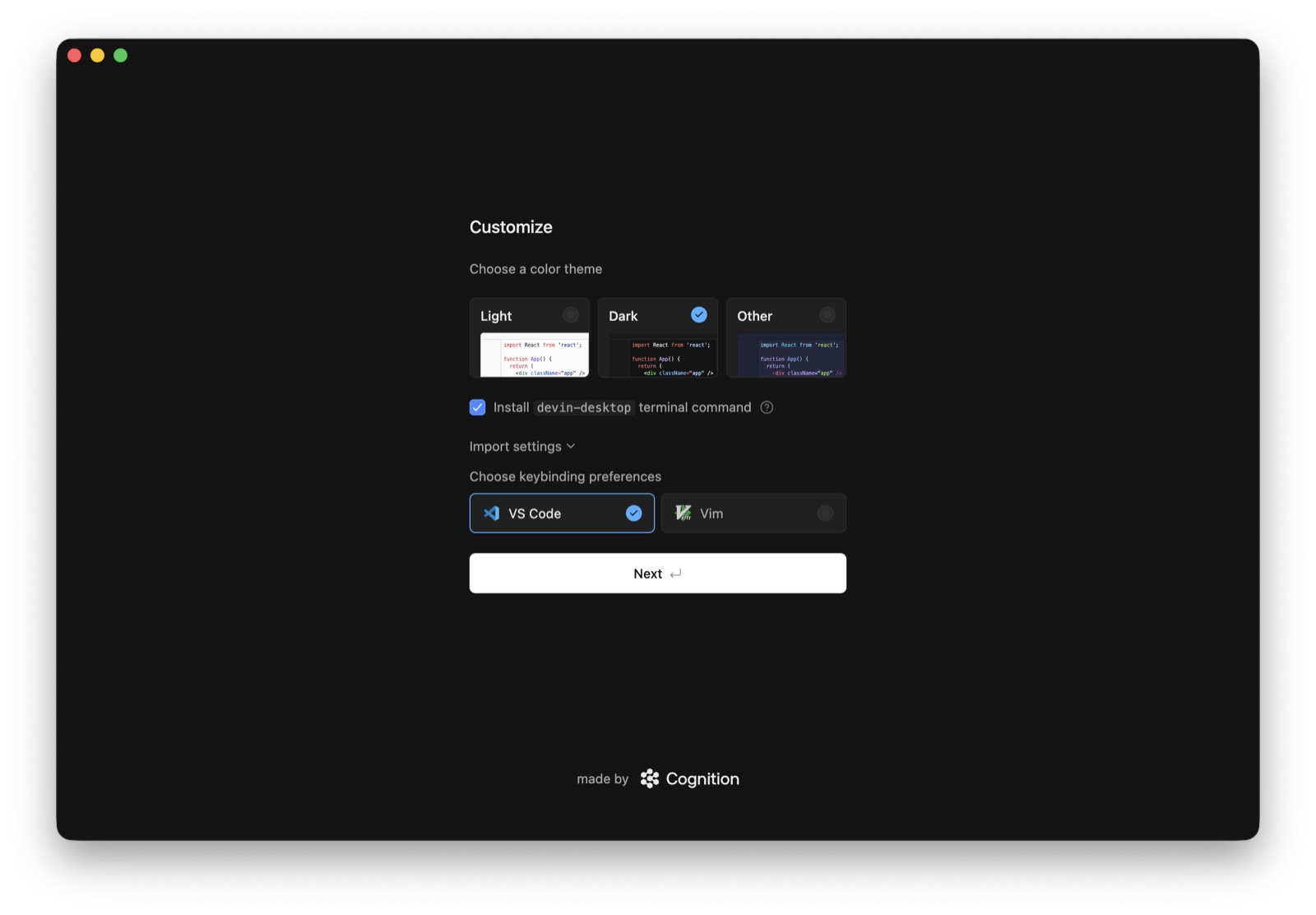
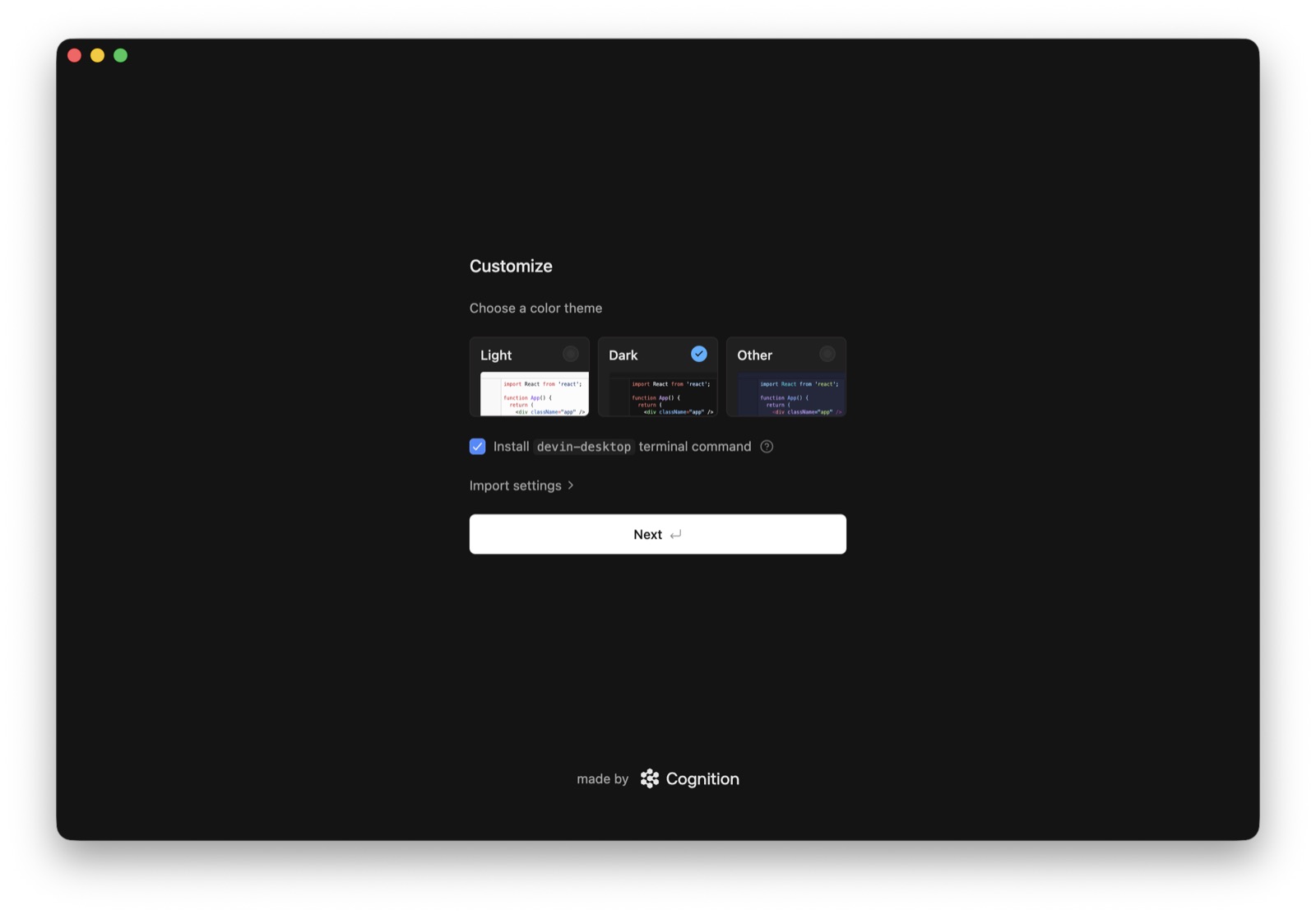
- The wizard's single "Customize" screen bundles three decisions: color theme (Light / Dark / Other, each previewed with a React code snippet), a pre-checked "Install devin-desktop terminal command" box, and a collapsed "Import settings" disclosure.
- Expanding "Import settings" reveals keybinding preferences (VS Code or Vim), so switchers can keep muscle memory without visiting settings.
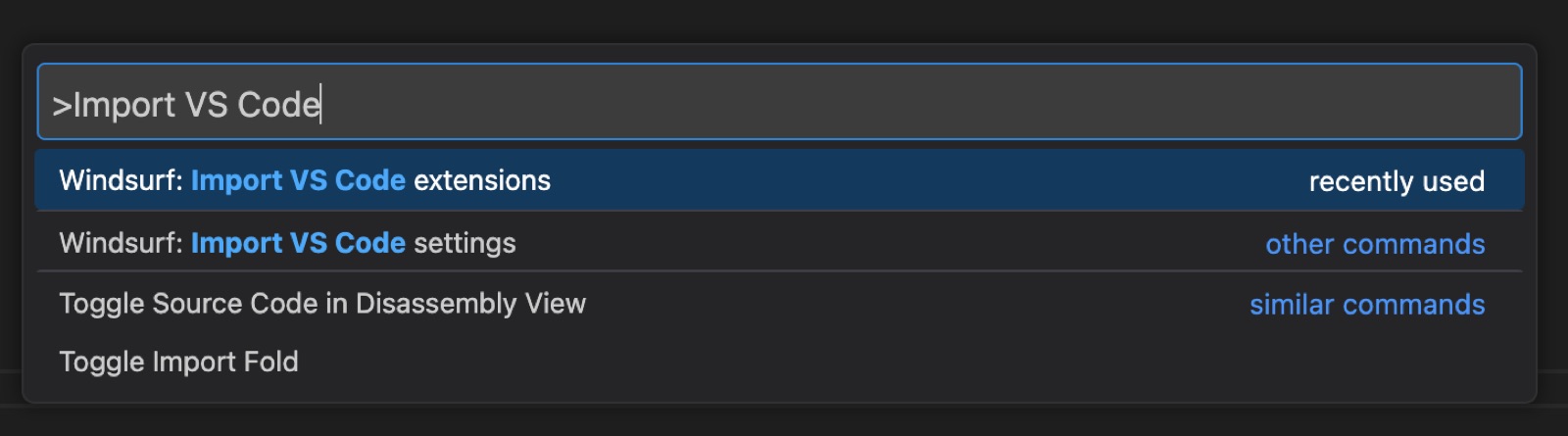
- Migration from competitors is also exposed as command-palette actions: "Import VS Code extensions/settings" and "Import Cursor extensions/settings" — Cursor is called out by name as a switching source.
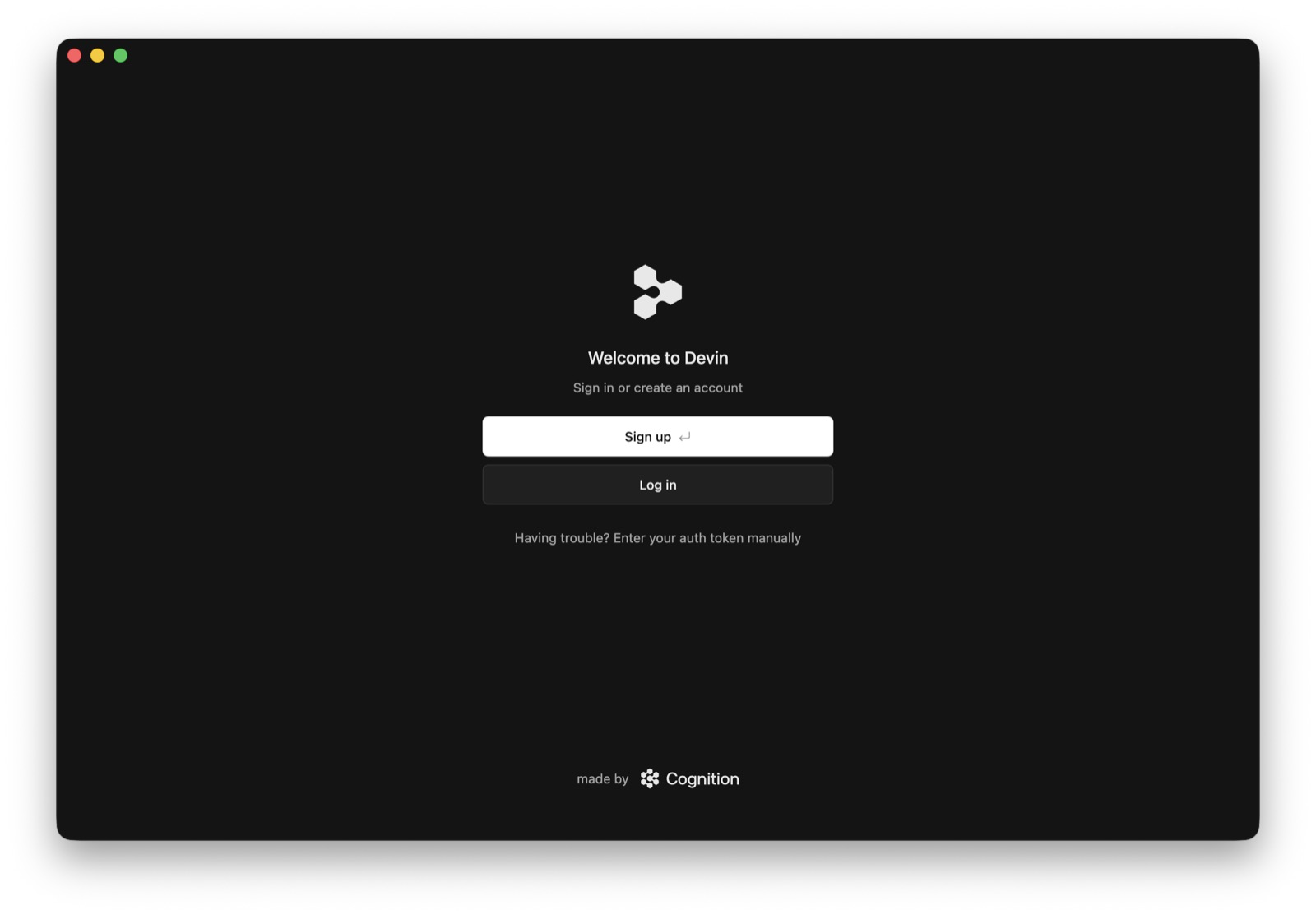
- Auth comes after customization, not before: a "Welcome to Devin" screen with Sign up (primary) / Log in and a "Having trouble? Enter your auth token manually" fallback link for when the browser round-trip fails.
- Per the docs, after setup the start page presents the agent input interface, with recent projects, open folder and settings as secondary paths.
Patterns
preference setup wizardimport from competitordefaults pre-selectedauth after setupmanual auth fallbackagent prompt as home screen
Articles
- Getting started (Devin Desktop, formerly Windsurf)Devin Desktop docsby the team