Notion AI
No separate AI onboarding. AI opens inside the page the user is editing, with starter prompts grouped by job (write, edit, summarize). Picking one seeds a focused follow-up, and the output lands in the document.
Notes
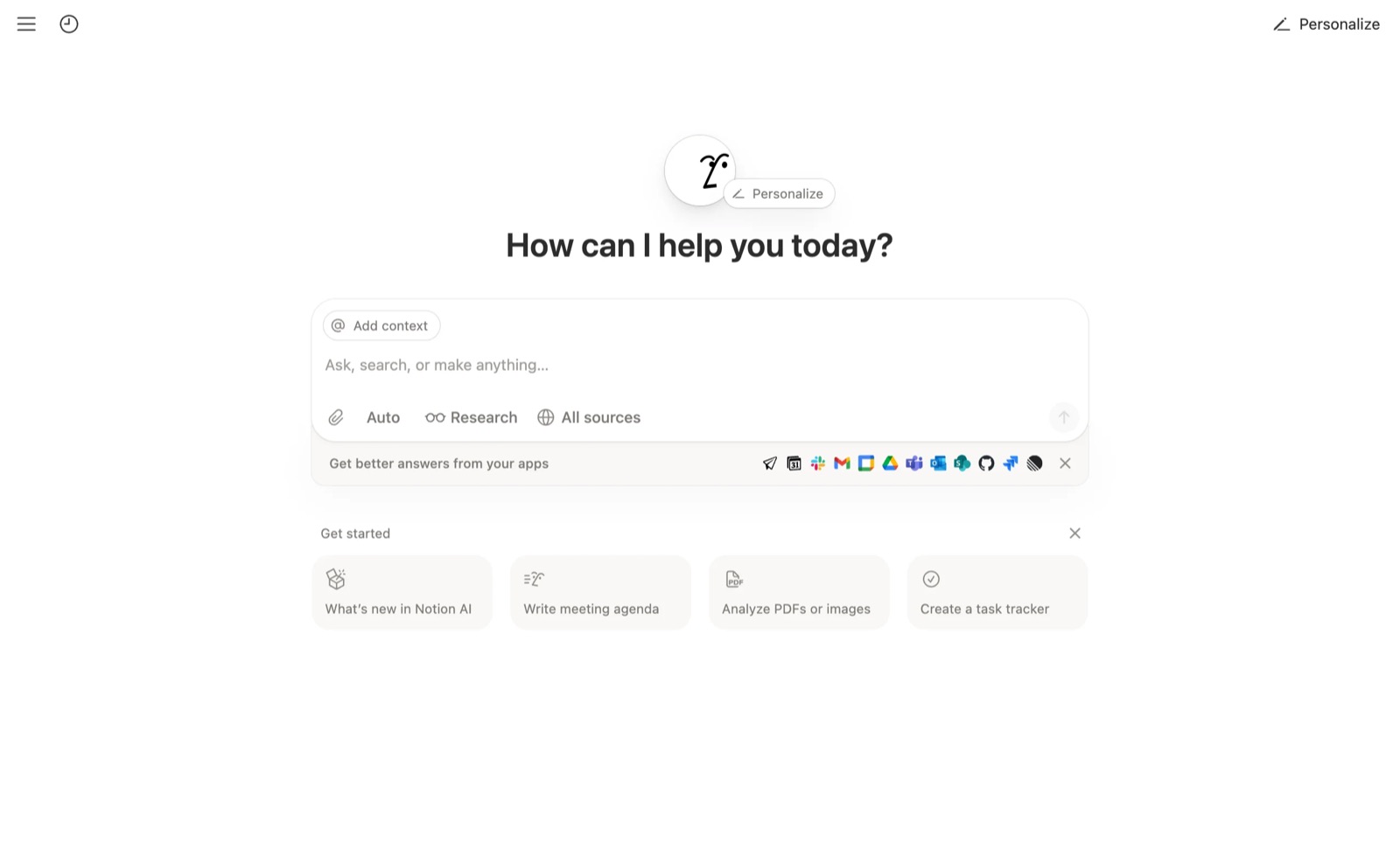
- AI UX Playground: 'There is no empty chat screen'; starters such as 'Write meeting agenda' appear in the editor where the cursor already is.
- The Notion AI panel headline is 'How can I help you today?' above a 'Get started' row of one-click starters.
- Starters are grouped by job (write, edit, summarize) so users 'browse by intent, not by prompt engineering skill'.
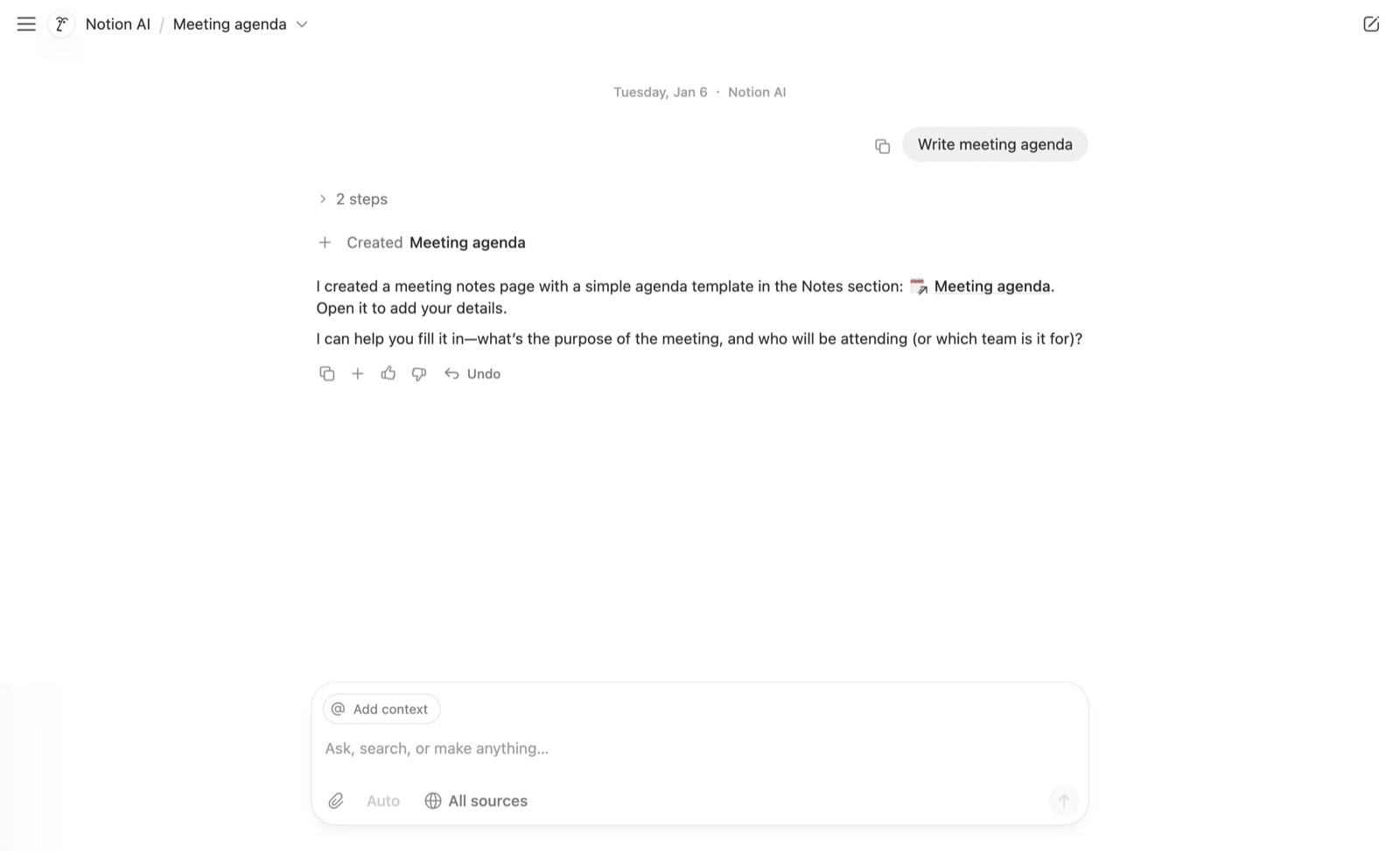
- Selecting 'Write meeting agenda' opens a tighter AI surface seeded with the starter and inserts the output into the page instead of a side thread.
- Critique from the teardown: first-time users may not know AI exists until they invoke it, and the selection scope (block vs page) is implicit.
- Designer Ryo Lu explains that Notion AI uses context to "get you closer to the AI tools you need". On a new page, Space for AI puts drafting first (brainstorm, blog post, outline). On a page with content, it puts Continue writing, Summarize and Find action items first. On selected text, it shows edit tools with a before/after comparison (Notion Blog, 2023-09-21).
- The design mixes pre-packaged prompts with free text, the way templates work, so new users get an easy start and can still "prompt AI for anything in plain language" (Notion Blog, design thinking).
- CEO Ivan Zhao lists the launch decisions: Space instead of the existing / command as the entry point, an interactive writing UI instead of the forms other AI tools used, and pre-packaged prompts balanced with custom input. 'Improve writing' became the most-used action (Notion Blog, behind the scenes, 2023-11-30).
Patterns
in-context activationcategorized prompt startersno wizardoutput inserted in placecontext-aware prompt presetskeyboard entry pointinline AI instead of tour
Articles
- The design thinking behind Notion AINotion Blog (Ryo Lu, Product & Design)by the team
- The crucial moments and decisions leading up to the launch of Notion AINotion Blog (Ivan Zhao, CEO)by the team
- Notion AI onboarding UX: prompt starters & first valueAI UX Playground
- How to Design AI Onboarding & First-Value UXAI UX Playground