Replit
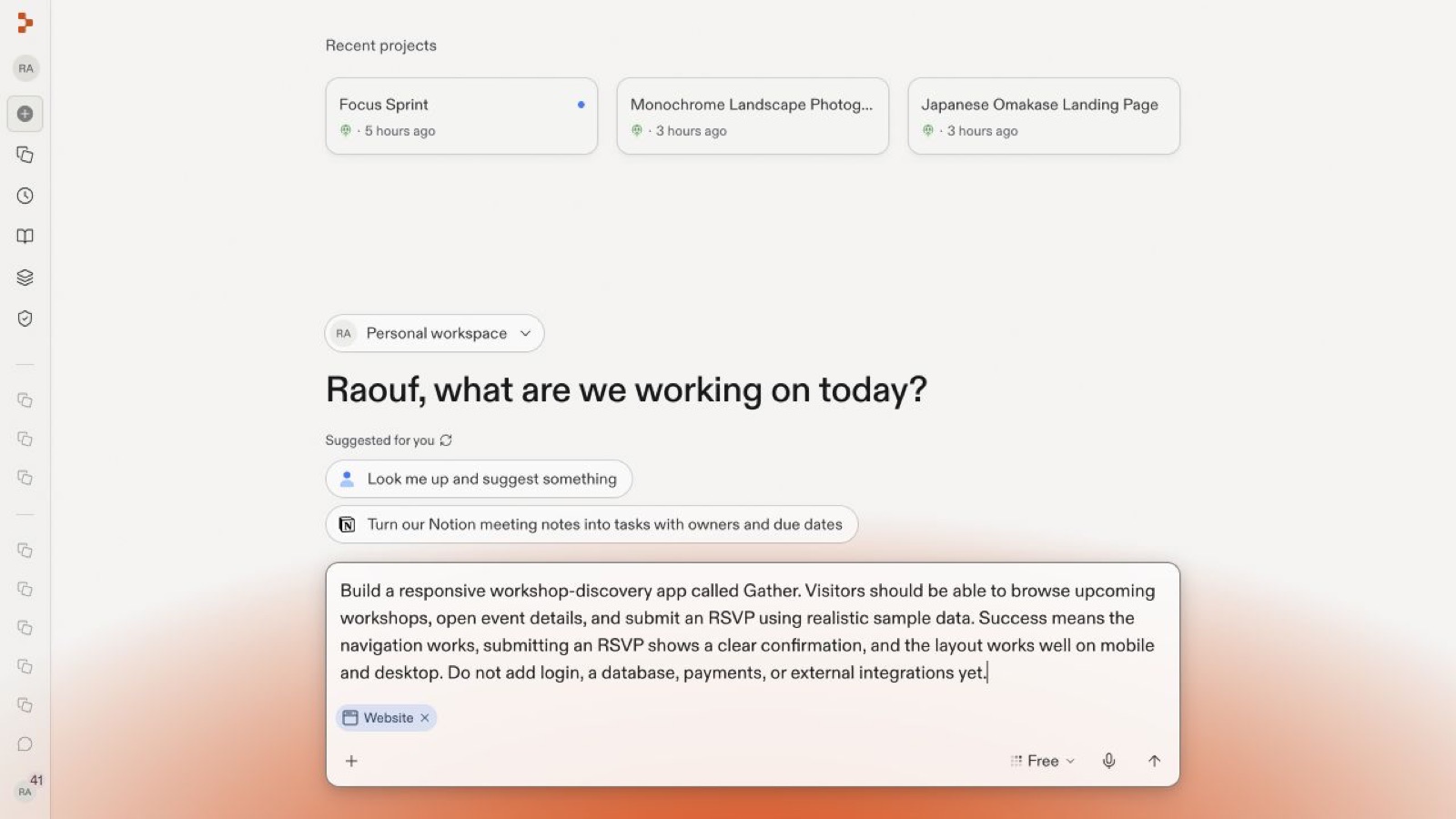
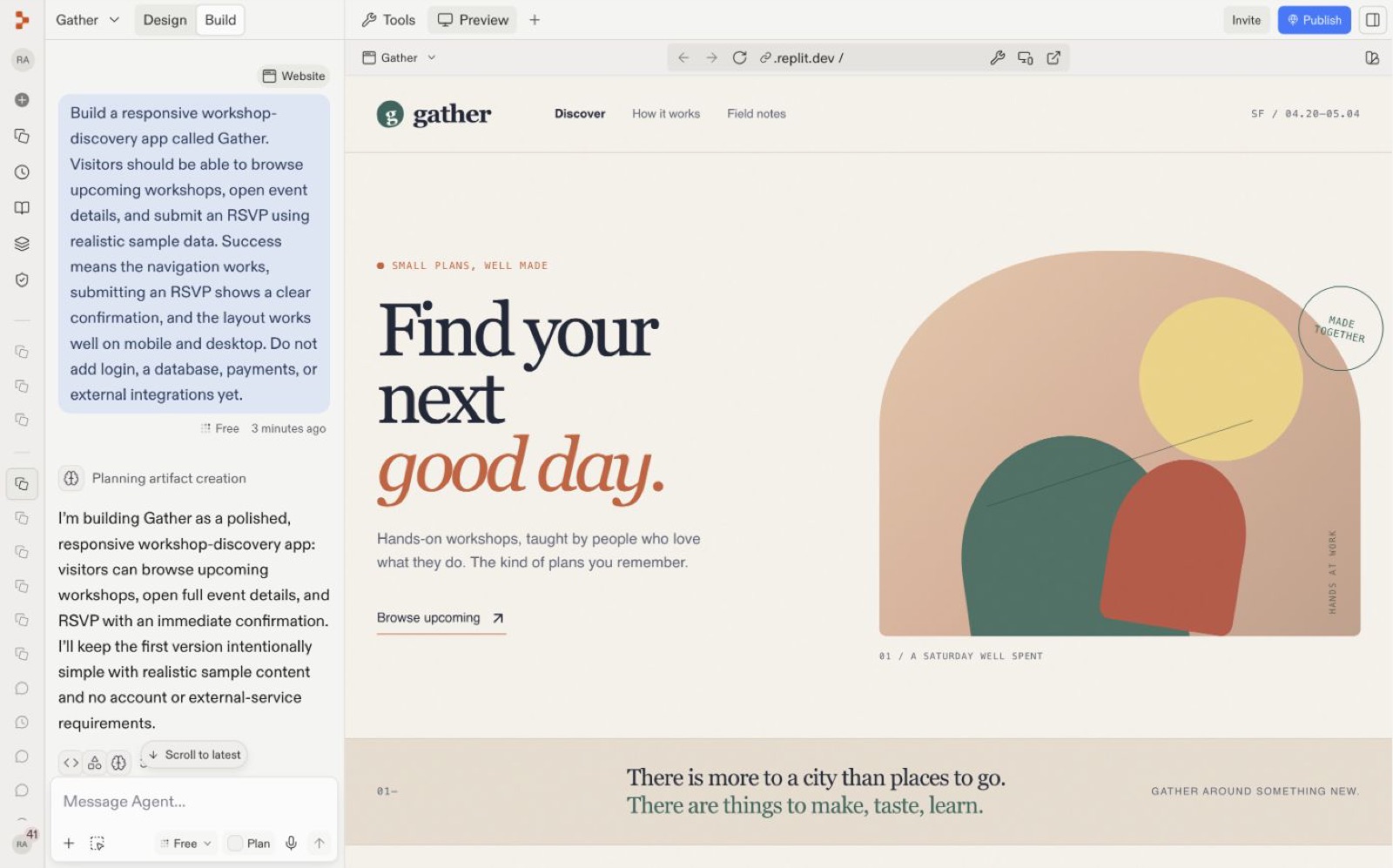
Replit's home screen is a single Agent prompt box greeting the user by name, with suggested prompts and an artifact chip (e.g. Website). Replit's own first-app guide teaches users to write an outcome-plus-success-criteria prompt, then drops them into a split chat/preview workspace while Agent plans and builds.
Notes
- The home screen headline is personalized ("Raouf, what are we working on today?") and sits above a "Suggested for you" row with a refresh icon, including "Look me up and suggest something" and a Notion-connector prompt ("Turn our Notion meeting notes into tasks…").
- The prompt box carries an artifact-type chip ("Website"), a mode selector ("Free"), a mic button and an attach (+) button; the docs say artifact selection "makes intentions explicit" and mode selection determines resource allocation.
- The official "Build your first app" guide models prompt-writing as onboarding: the example prompt "starts with one outcome… defines observable success criteria, and postpones login, data, payments, and integrations."
- After submit the user lands in a two-pane workspace: chat on the left with a "Planning artifact creation" step and Agent's restated plan, live Preview on the right, with Design/Build tabs and Invite/Publish buttons already visible.
- The guide sets a time expectation — about 10 minutes for the first build, with a warning that Free Mode can take several minutes for complex requests — then pushes a test-in-Preview, refine-with-one-prompt loop.
- Replit's 2025 review says the December free tier came with "groundbreaking improvements to the first build experience": the first build dropped from 15-20 minutes to 3-5 minutes. In June, a new app-creation flow "let you visualize what Agent would build before committing" (Replit Blog, 2025 in Review).
- The Free Mode launch post describes the agent as one that "understands when you want quick answers, and when you want to do more complex work". New users can "think through a project before starting and build in the same space" (Replit Blog, 2026-08-18).
Patterns
single prompt box homepersonalized greetingsuggested promptsartifact type pickerplan before buildlive preview split viewtime expectation setting
Articles
- Build your first appReplit Docsby the team
- 2025: Replit in ReviewReplit Blog (Matt Palmer)by the team
- Replit Introduces Free Mode to Expand What is Possible with AIReplit Blog (Amjad Masad, Michele Catasta, 2026-08-18)by the team