Pendo
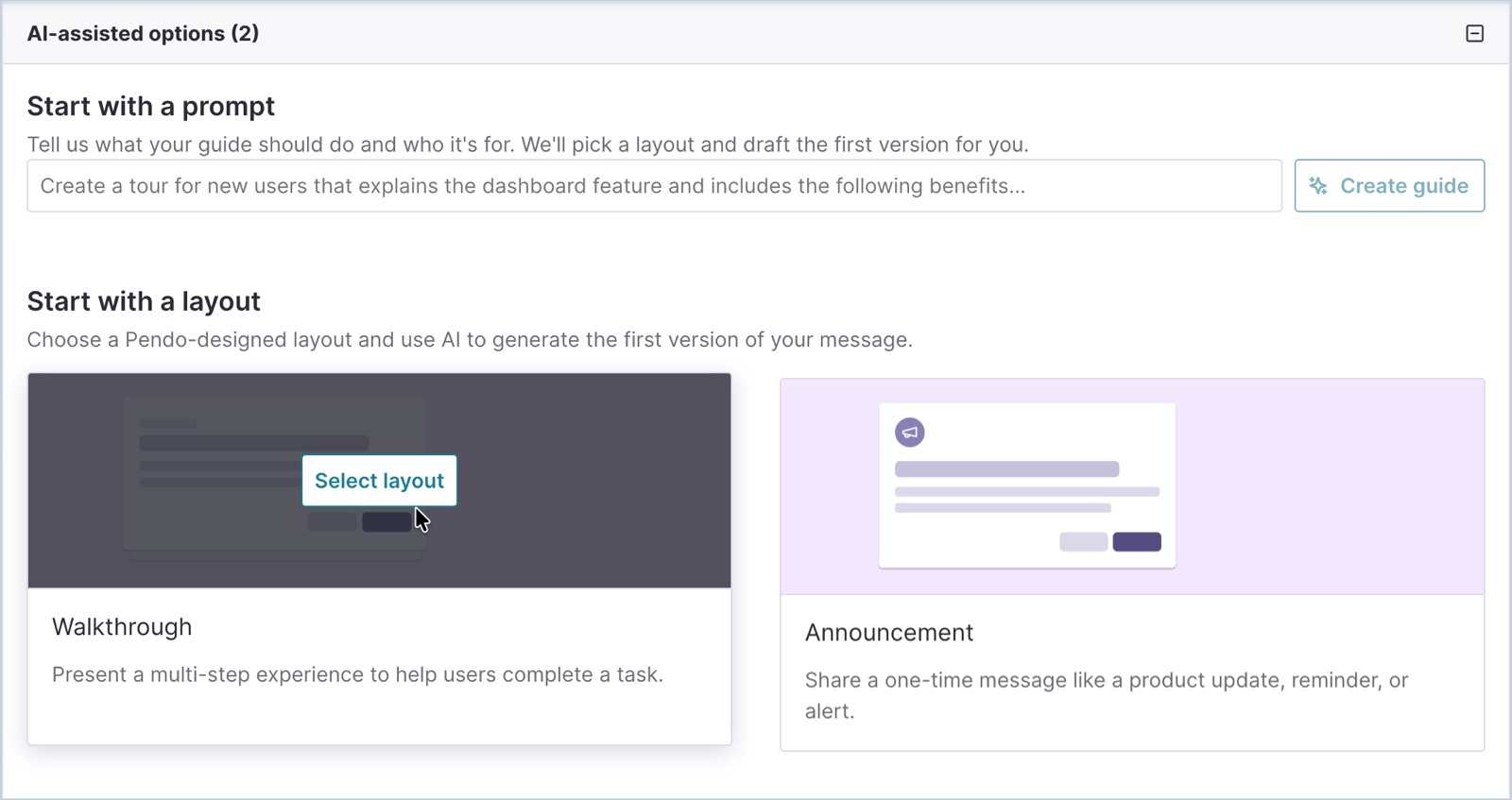
Pendo's guide editor now opens with 'Start with a prompt': a product team describes the onboarding tour and who it's for, and the Guides Agent picks a layout and drafts the steps and copy for review in a two-panel editor.
Notes
- The create screen offers 'Start with a prompt' ('Tell us what your guide should do and who it's for. We'll pick a layout and draft the first version for you') next to 'Start with a layout', where AI still writes the first draft of a Walkthrough or Announcement.
- The Summer Release post pitches it as: describe 'an onboarding tour for new users' and 'the Pendo Guides Agent… drafts the layout, content, and flow.'
- Follow-up prompts can edit text blocks, images and buttons or switch a draft between walkthrough and announcement formats; the AI 'doesn't access your application or visitor data.'
- Beta gaps: no polls, activation settings or localizations from the AI editor; advanced styling still sends you to the Visual Design Studio.
- Requires Guides Pro and AI settings enabled by a subscription admin; live preview needs web SDK 2.339.1 or later.
Patterns
prompt-to-flow builderlayout-first AI draftdraft-then-edit
Articles
- Create a guide using conversational AI (beta)Pendo Help Centerby the team
- How Pendo's Summer Release reimagines onboarding, support, and expansion in the SaaS + AI eraPendo Blogby the team
- Introducing Agent Mode in PendoPendo Blogby the team