Otter.ai
A welcome survey (work type, role, goals), a calendar step that suggests meetings for the AI notetaker to join automatically, workspace and teammate invites, and then in-product tooltips around a tutorial recording.
Notes
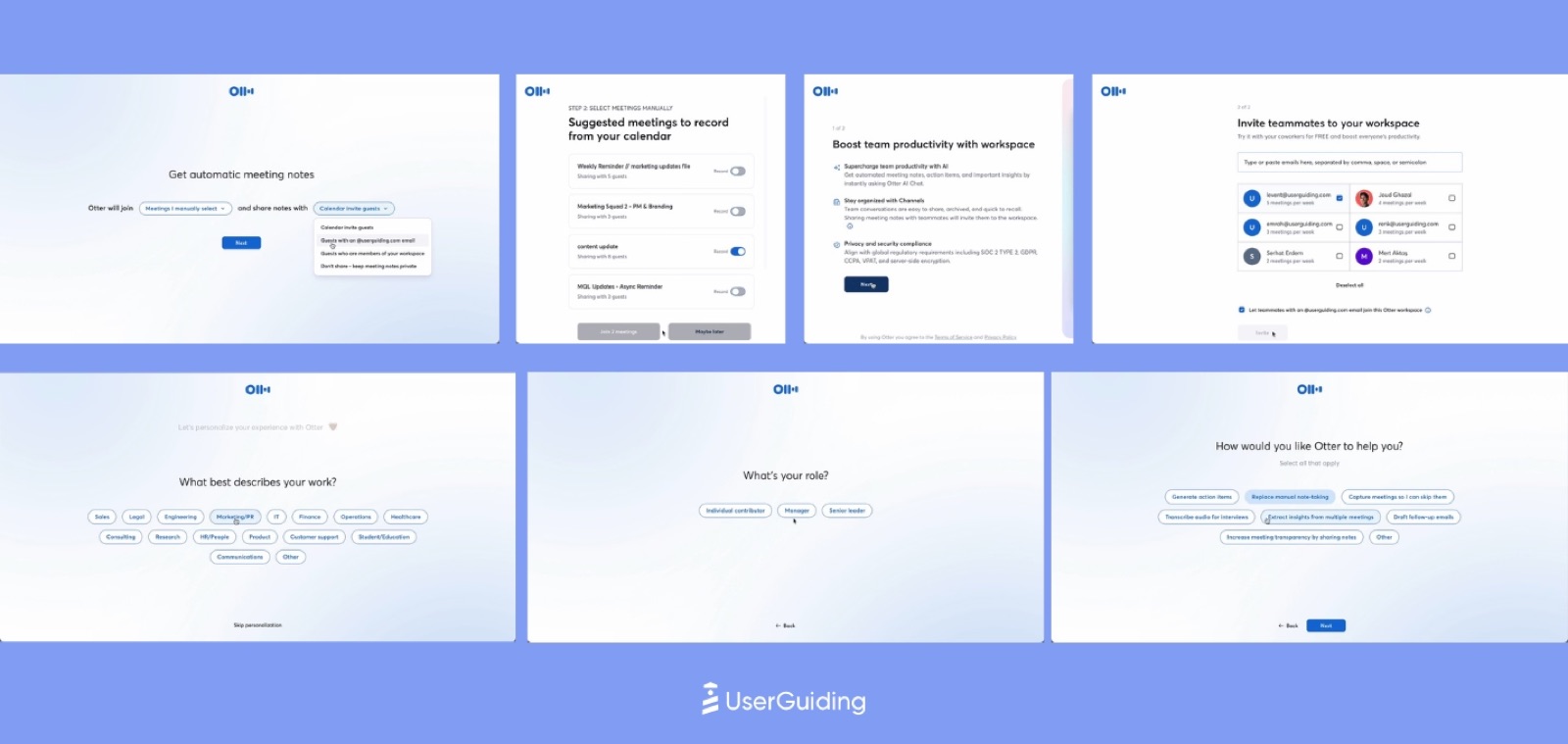
- UserGuiding's composite shows the survey order: 'Get automatic meeting notes' (join and share settings), 'What best describes your work?' chips, 'What's your role?', and 'How would you like Otter to help you?'.
- A calendar step, 'Suggested meetings to record from your calendar', lists upcoming meetings with per-meeting Auto-join toggles.
- Workspace steps: 'Boost team productivity with workspace' and 'Invite teammates to your workspace' with suggested colleagues pre-listed.
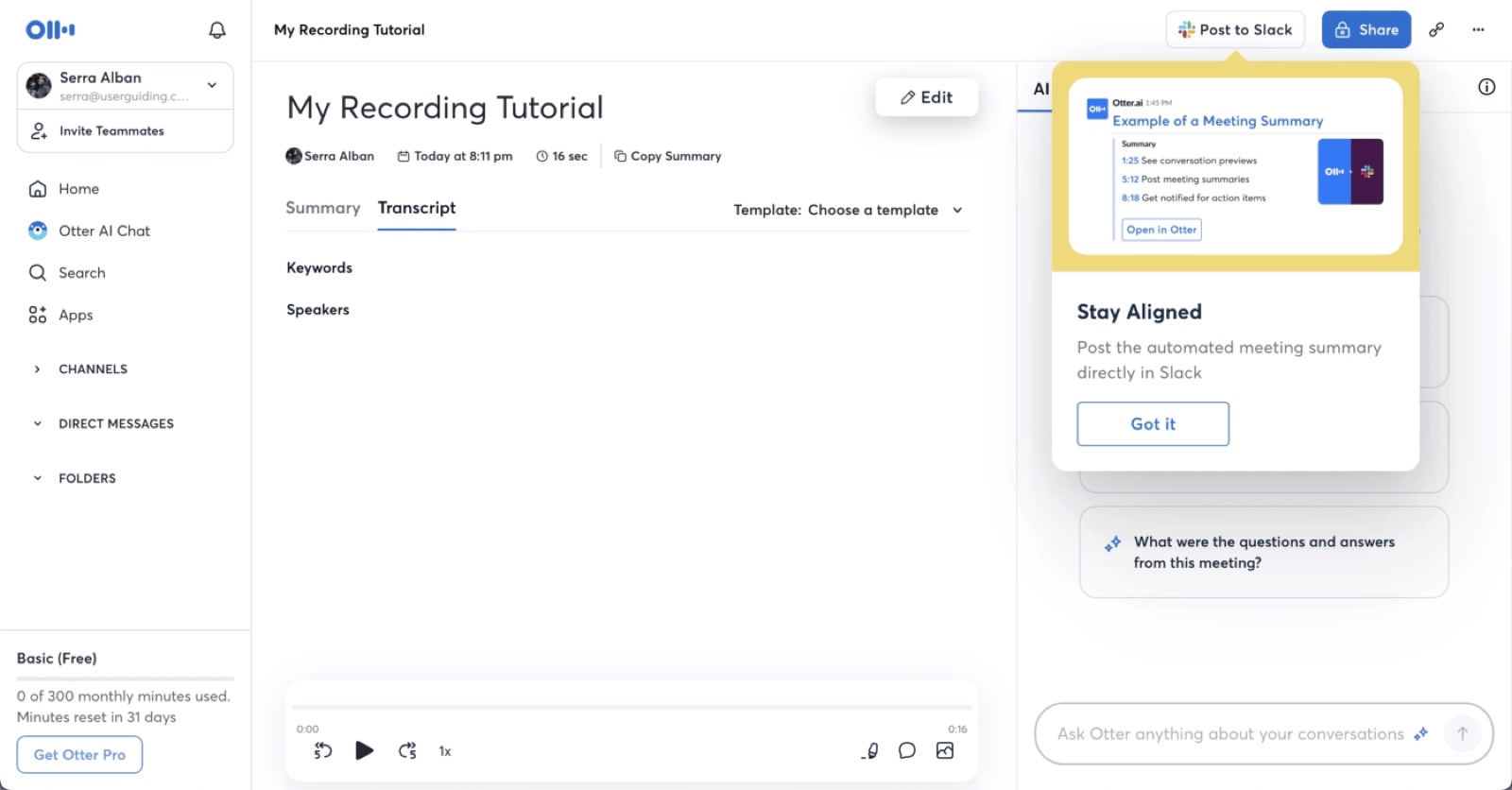
- Inside the app, a 'My Recording Tutorial' note is paired with a 'Stay Aligned' tooltip ('Post the automated meeting summary directly in Slack') and an 'Ask Otter anything about your conversations' box; the Basic plan meter shows '0 of 300 monthly minutes used'.
- UserGuiding rates it 4/5: checklists and meeting-based aha moments work, but flows 'lack a clear sense of progress', CTAs dilute focus, and untriggered pop-ups can disrupt.
- Otter's help docs describe connecting Google or Microsoft calendars so the notetaker auto-joins Zoom, Meet and Teams meetings.
Patterns
welcome surveycalendar-based suggestionsauto-join togglesteammate invitestooltipsusage meter
Articles
- Otter Quick Start GuideOtter Help Centerby the team
- Connect your Calendar and Contacts to OtterOtter Help Centerby the team
- We Analyzed 36 SaaS Onboarding Flows and Rated Every Single OneUserGuiding