Appcues
Appcues AI lets teams build onboarding flows by chatting: describe the tour, upload a mockup or paste a page URL, and the Experience Builder agent drafts the flow in the builder for you to refine by chat or by hand.
Notes
- Three inputs start a flow: a plain-language request ('Welcome new users with a three-step tour'), an uploaded design mockup whose layout, copy and styling are read from the image, or a page URL / legacy flow to convert (docs: Create an experience with Appcues AI).
- Output is always a draft; 'depending on what you ask for, Appcues AI either builds the experience directly or opens the builder for you to finish it', and it may first ask about goal, audience and target URL.
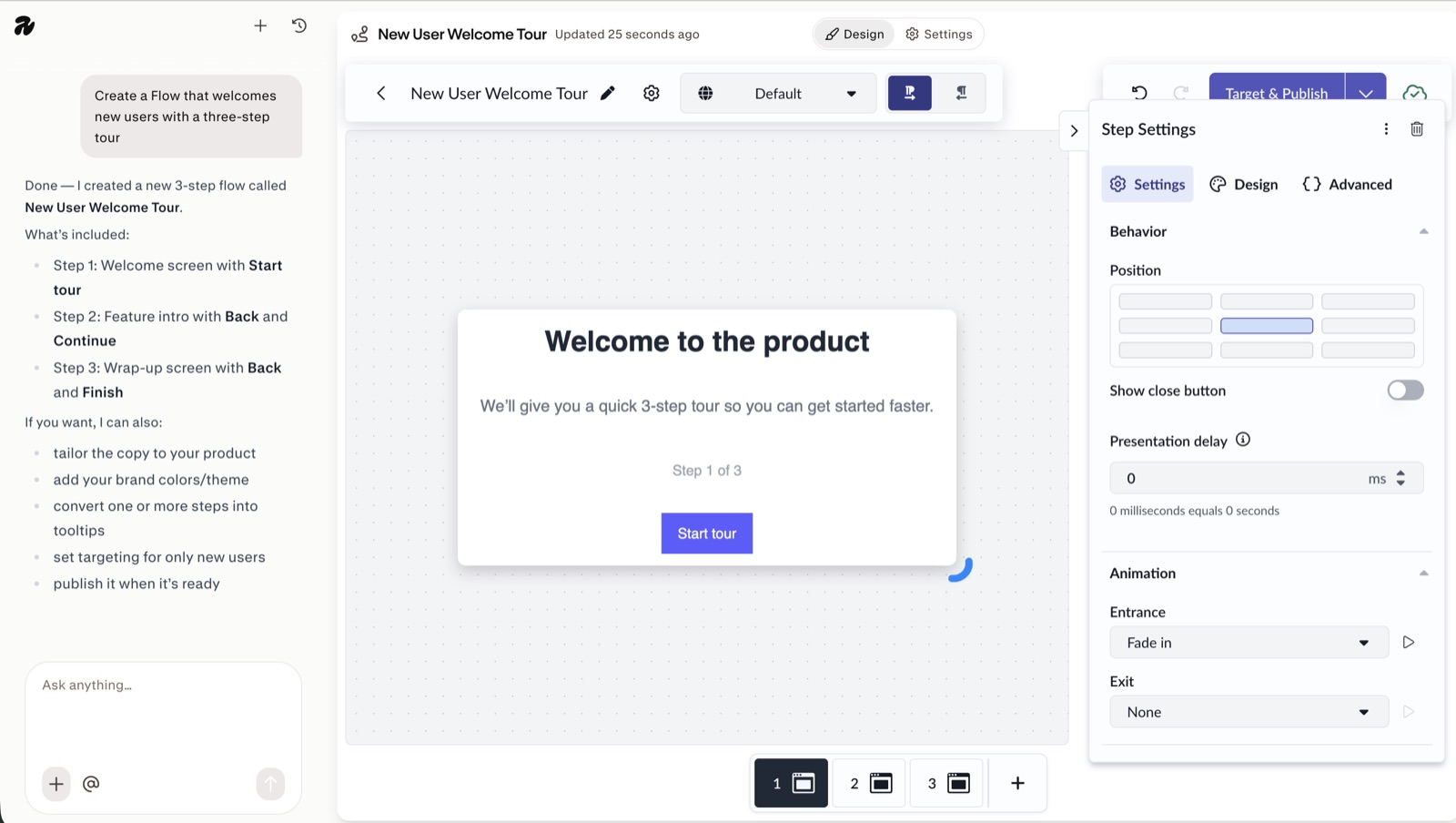
- The screenshot shows the chat panel left of the builder: after the prompt it lists the three steps it created and offers next actions (tailor copy, add brand colors, convert steps to tooltips, target only new users, publish).
- Five named agents: Advisor, Delivery Specialist (why a flow isn't showing), Segmentation Planner, Experience Builder (beta) and Growth Analyst.
- Included on every plan; Appcues says customer data isn't used to train models and all AI features can be hidden from a workspace.
- Theme styling still has to be applied manually after generation; publishing needs a Publisher or Admin role.
Patterns
prompt-to-flow builderscreenshot-to-flowchat beside canvasagent roster
Articles
- Create an experience with Appcues AIAppcues Docsby the team
- Appcues AI featuresAppcues product pageby the team
- Appcues AI Prompts for Building Better Product ExperiencesAppcues Blogby the team