NotebookLM (Google)
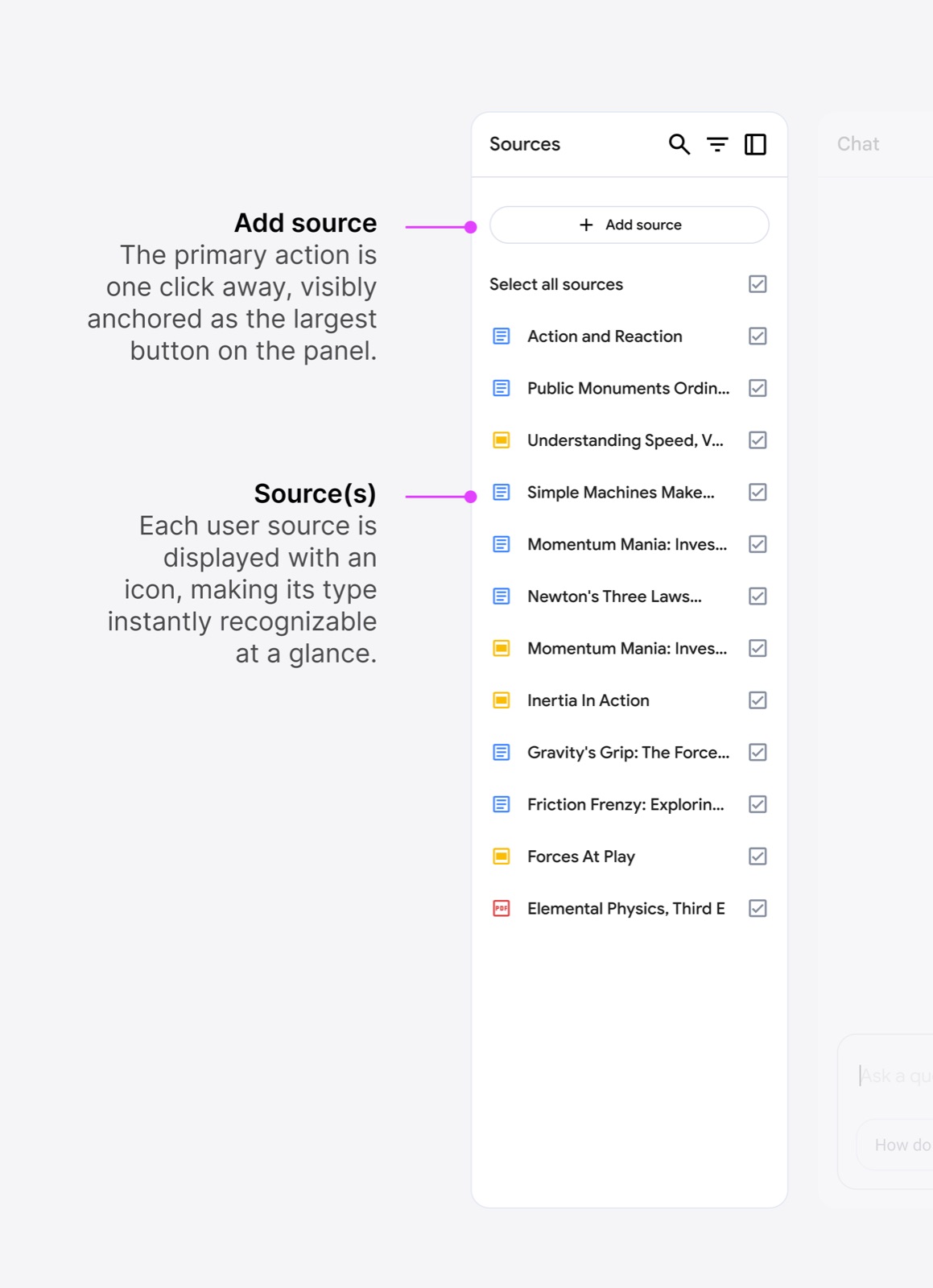
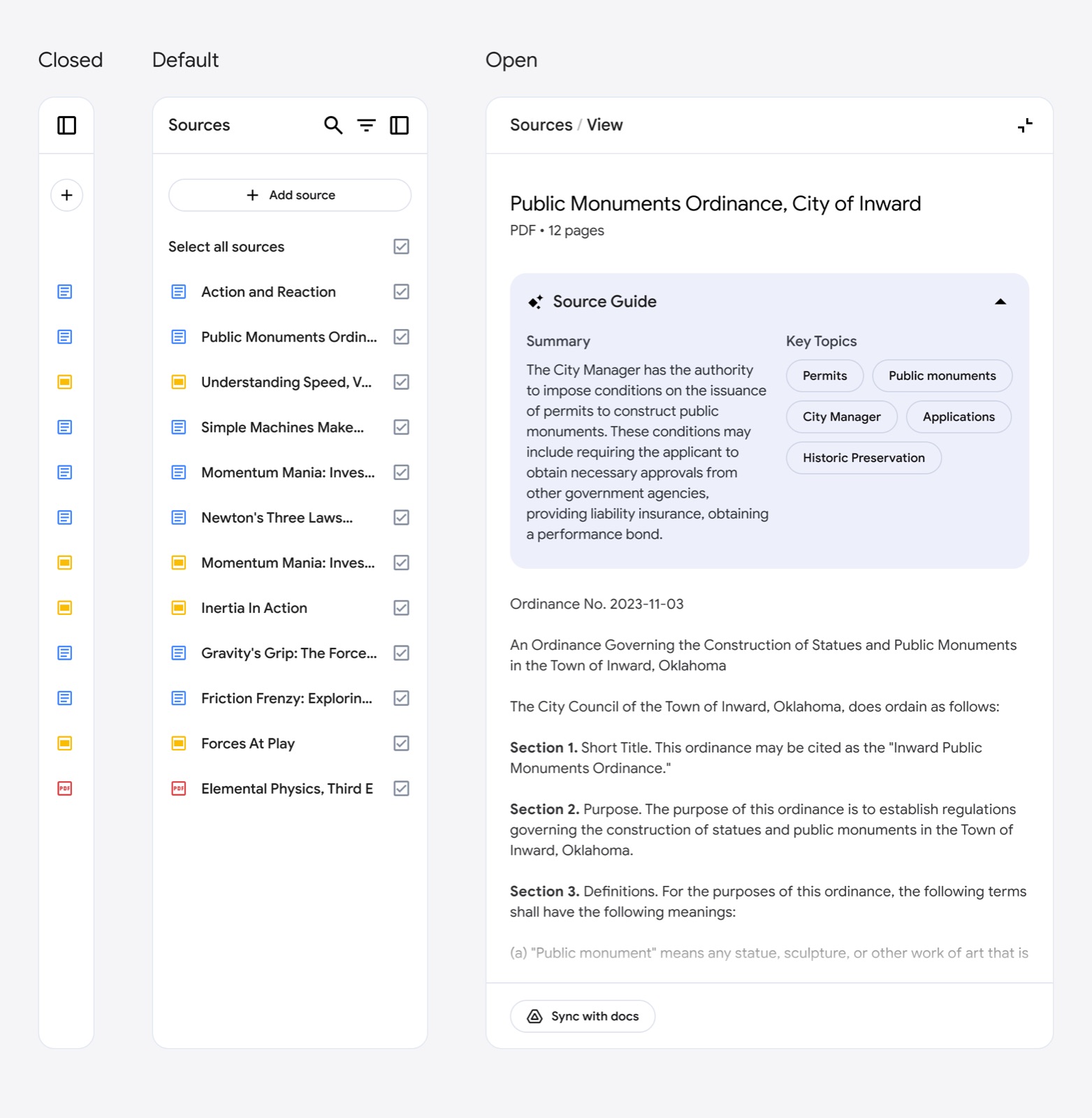
NotebookLM starts with the user's own sources, not a blank chat. The Add source button is the largest control in the left panel. Each upload gets an auto-generated Source Guide (summary plus key topics), and the flow runs Inputs → Chat → Outputs (Studio).
Notes
- Design lead Jason Spielman built the mental model around the creation journey "Inputs → Chat → Outputs". The Source panel is "the starting point of the user's journey", and Add source is "one click away, visibly anchored as the largest button on the panel" (jasonspielman.com/notebooklm).
- Spielman kept chat as the center on purpose: "Chat remains the most intuitive and digestible way for users to engage with AI, acting as a familiar anchor", while context-aware actions surface newer features like Audio Overviews "at the right moment" (jasonspielman.com/notebooklm).
- The case study says the three-panel layout took "what felt like a thousand iterations", and the team's principle is "building products with our users, not just for them" (jasonspielman.com/notebooklm).
Patterns
bring-your-own-content first runauto summary on uploadchat as familiar anchor
Articles
- Designing NotebookLMJason Spielman portfolio case studyby the team
- Google NotebookLM's Raiza Martin and Jason Spielman on Creating Delightful AI Podcast HostsSequoia Training Data podcastby the team