GitHub Copilot (in VS Code)
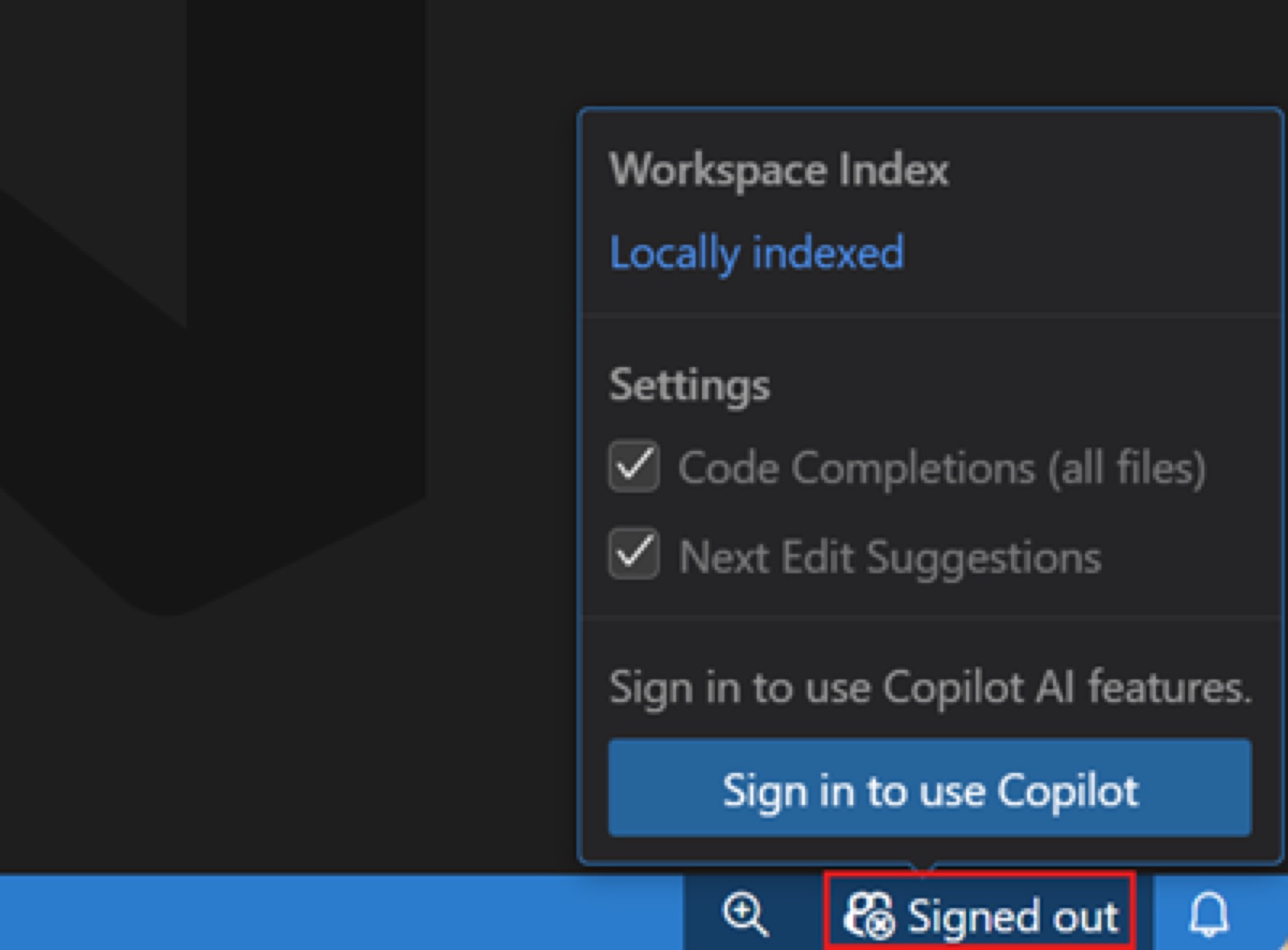
Copilot onboards inside an editor the developer already uses: VS Code ships with a Copilot icon in the status bar, and signing in with GitHub from there silently enrolls anyone without a subscription in Copilot Free. There is no separate signup, trial or credit card step.
Notes
- VS Code docs: hover the Copilot icon in the Status Bar and select "Use AI Features", then "choose a sign-in method and follow the prompts"; "If you don't have a Copilot subscription yet, you'll be signed up for the Copilot Free plan."
- The signed-out status-bar popover already shows working settings (Workspace Index: Locally indexed; Code Completions and Next Edit Suggestions checked) above a single "Sign in to use Copilot" button — features are presented as on, waiting only for auth.
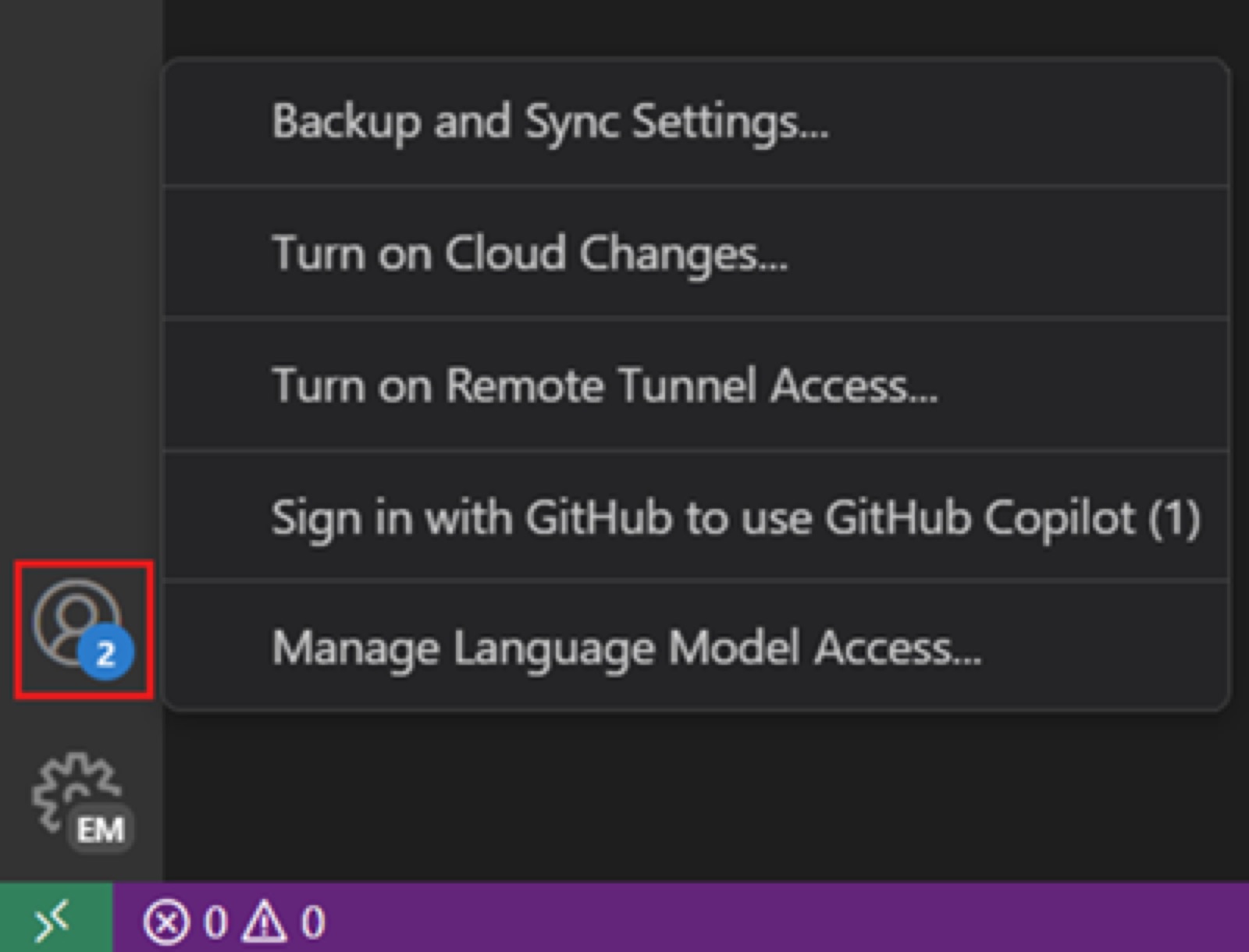
- The Accounts menu carries a badge count and a "Sign in with GitHub to use GitHub Copilot (1)" item, so the prompt is repeated in a second standard location.
- GitHub's Dec 18, 2024 launch post framed the free tier as zero-friction: "2,000 code completions and 50 chat messages per month, simply by signing in with your personal GitHub account" — no trial or credit card.
- After sign-in the docs route newcomers to an "agents quickstart", and usage is tracked in a Copilot status dashboard showing "the percentage of your monthly allowance that you used."
Patterns
onboard inside host toolauto-enroll free tierstatus bar entry pointexisting account SSOno credit cardusage meter
Articles
- Set up GitHub Copilot in VS CodeVisual Studio Code docs (Microsoft)by the team
- Announcing 150M developers and a new free tier for GitHub Copilot in VS CodeGitHub Blogby the team