HubSpot (Breeze)
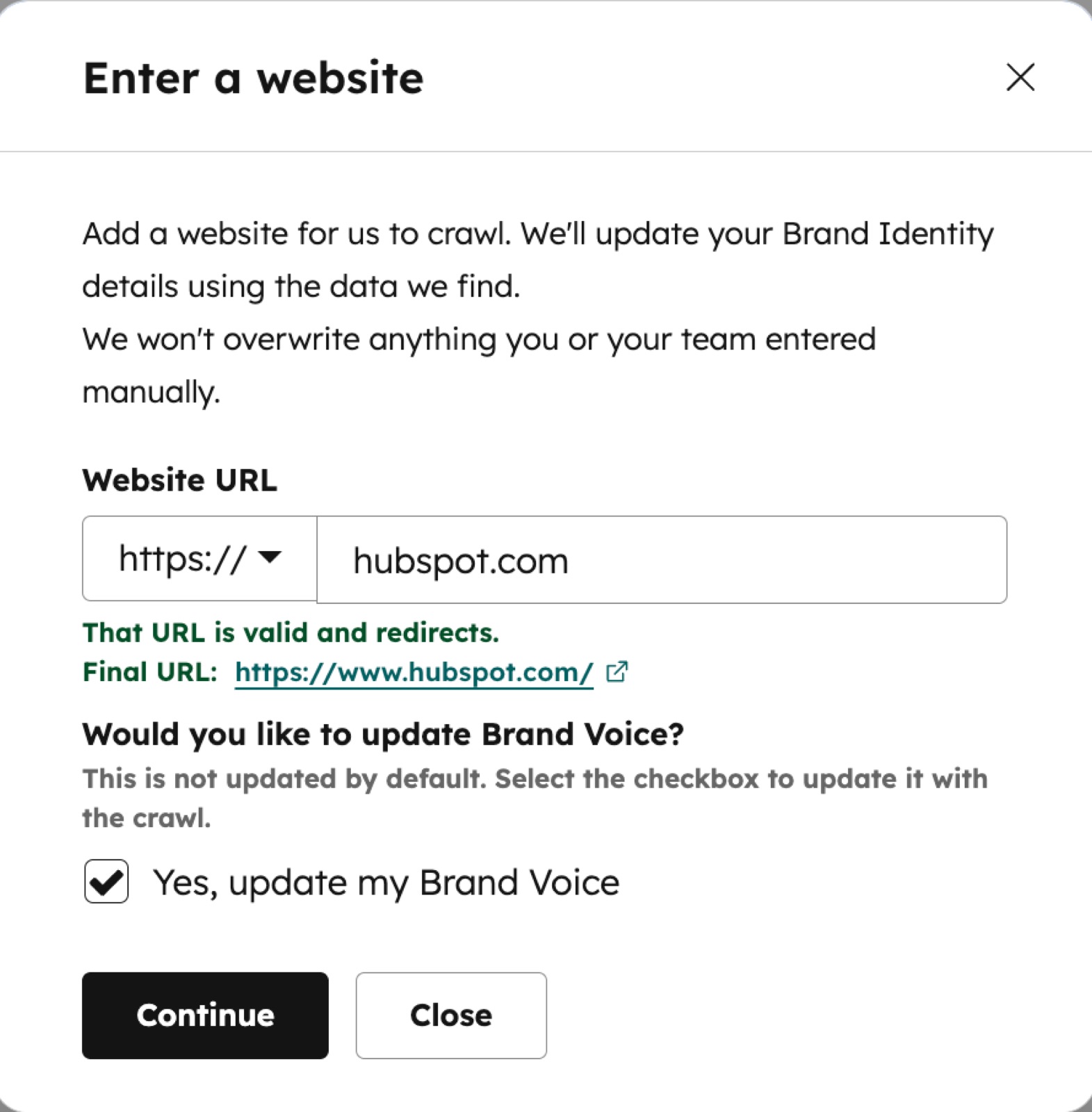
HubSpot seeds its AI context from your website. You enter a URL, Breeze crawls the site and fills a Brand Identity profile (industry, competitors, content themes, tech stack) and optionally a brand voice, which every later AI feature reads from.
Notes
- Setup starts from a domain: the company name and domain in Account Defaults are required because 'the domain is used by HubSpot's AI to crawl your website' (KB: Generate your brand identity context with AI).
- The 'Enter a website' dialog promises 'We won't overwrite anything you or your team entered manually', and brand voice is opt-in via a 'Yes, update my Brand Voice' checkbox.
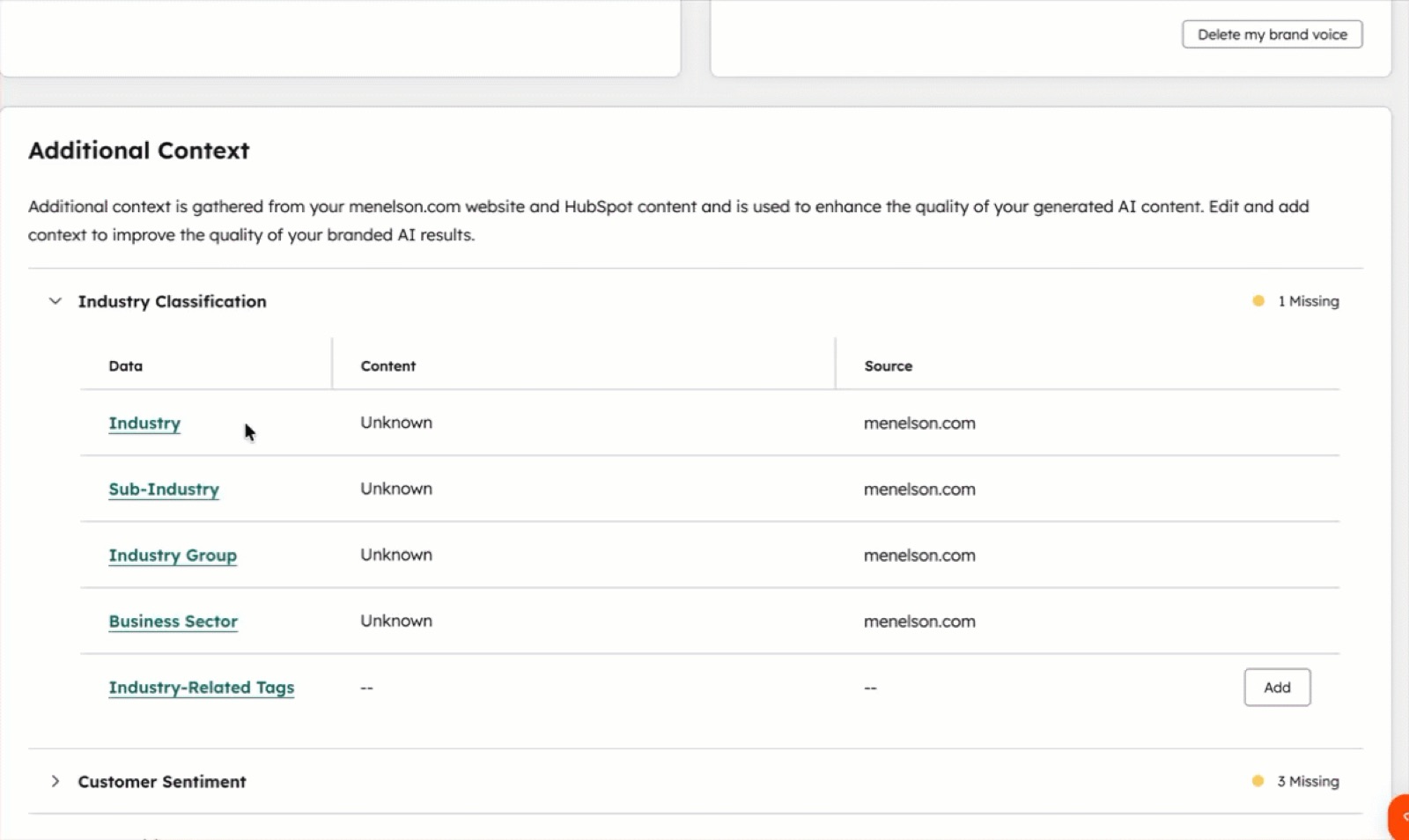
- The crawl fills six context groups: industry classification, customer sentiment, competitive landscape, content themes, tech stack and social responsibility; each row shows its source domain and a count of missing fields.
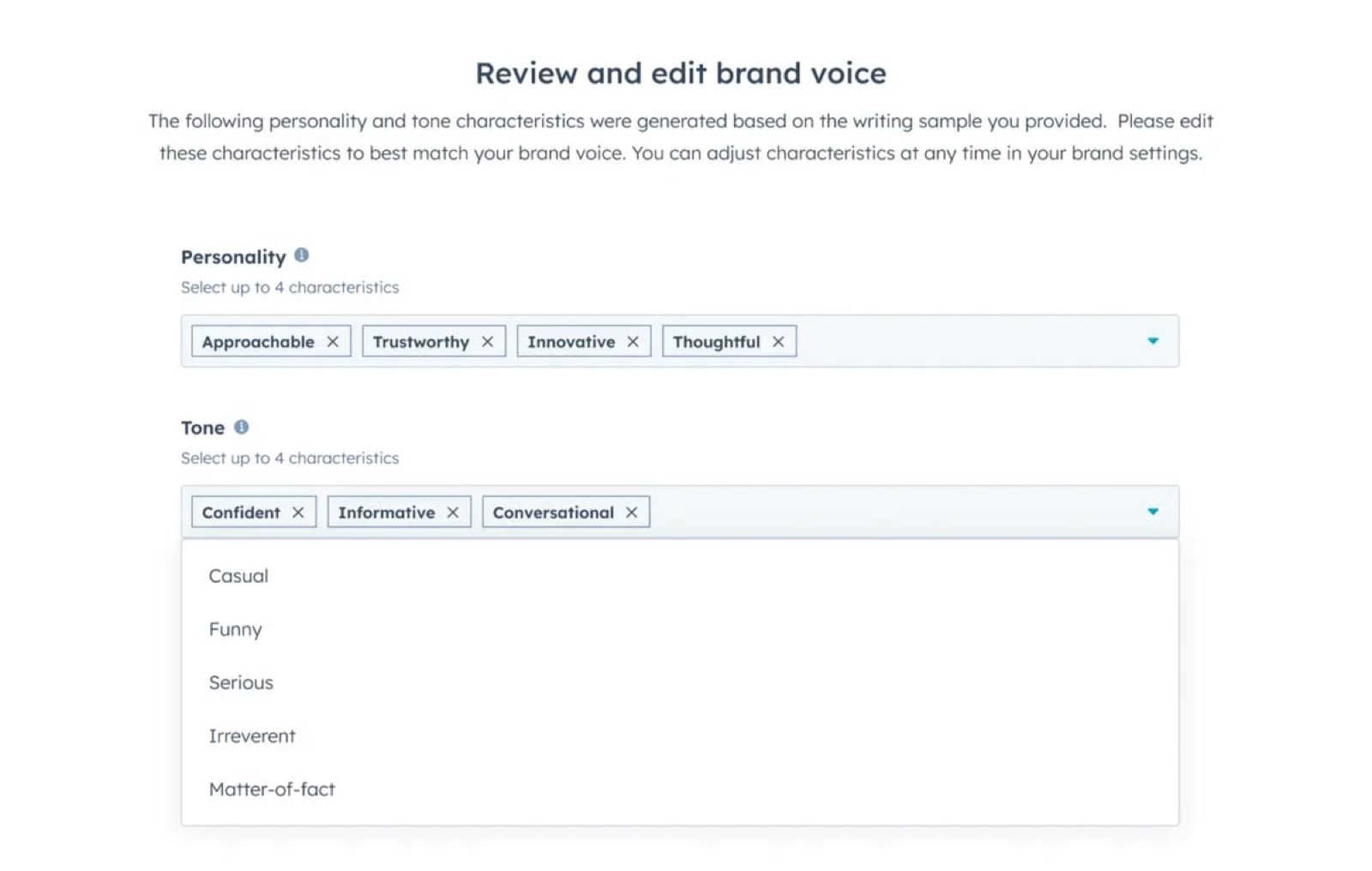
- Brand voice setup generates up to 4 personality and 4 tone traits from a writing sample, then asks the user to review and edit them (Brand Voice product page).
- HubSpot's own 'Set up a HubSpot account to adopt AI features' guide orders setup as: turn on AI, grant data access, crawl for brand identity, complete company profile, then define ICPs and personas.
- Crawl and brand identity context are gated to Professional and Enterprise editions.
Patterns
url-to-workspaceai-prefilled profilereview-and-edit generated defaultsmanual-edits-protected
Articles
- Generate your brand identity context with AIHubSpot Knowledge Baseby the team
- Set up a HubSpot account to adopt AI featuresHubSpot Knowledge Baseby the team
- AI Brand VoiceHubSpot product pageby the team