Claude Code (Anthropic)
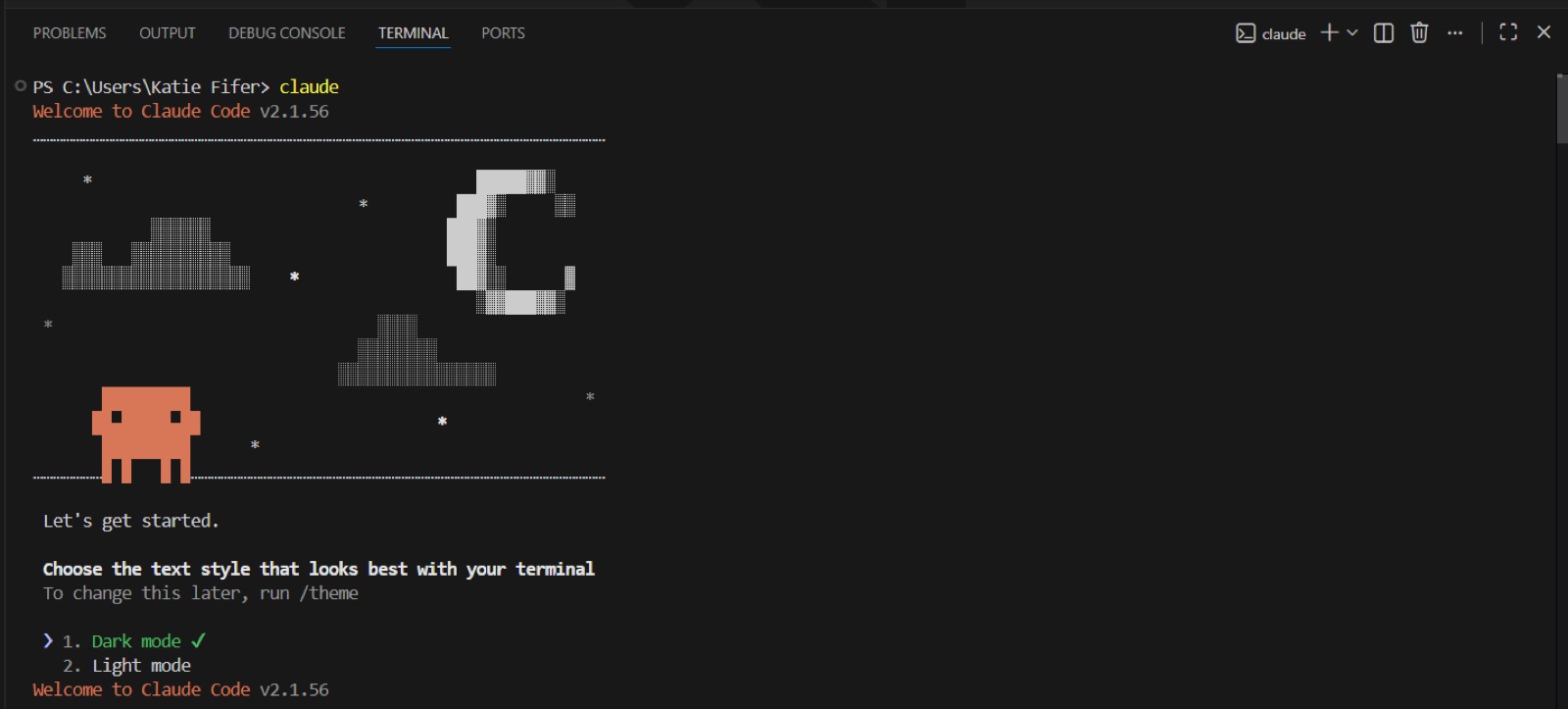
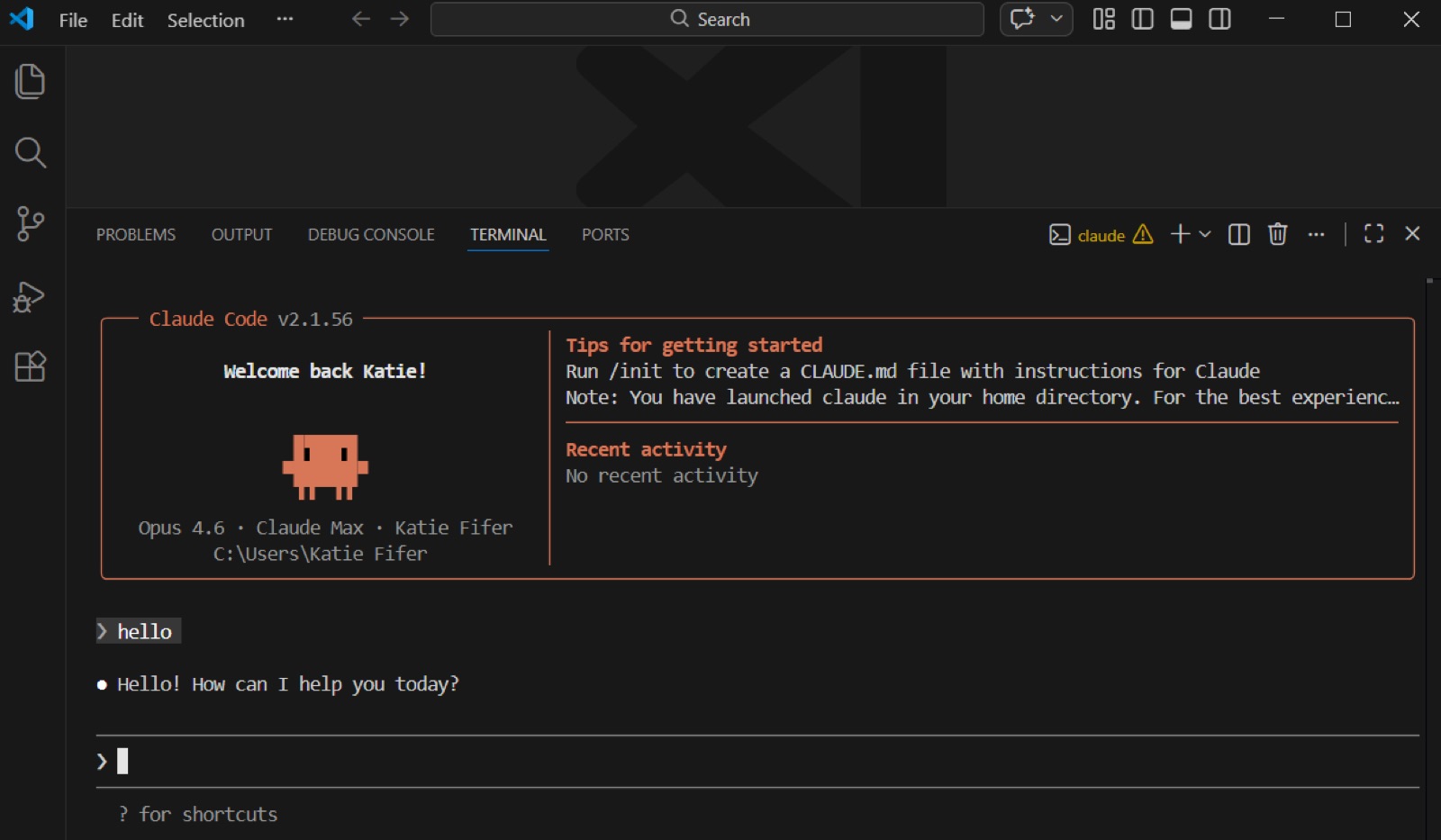
A terminal agent whose onboarding runs as a keyboard-only wizard the first time you type `claude`: an ASCII-art welcome, a text-style (theme) picker, a login-method choice that hands off to the browser, then a boxed welcome panel with tips and an empty prompt.
Notes
- First run opens with "Welcome to Claude Code v2.x", a pixel-art mascot scene, "Let's get started." and "Choose the text style that looks best with your terminal" (Dark mode / Light mode), with the hint "To change this later, run /theme" — the first question is about legibility, not the user.
- The Technically Curious guide (written for non-developer business users) walks the remaining steps: pick dark/light, choose login method "1. Claude account with subscription" which opens the browser, return to the terminal, then answer an effort question ("high effort" vs "medium effort").
- The same guide warns that signing up mid-authentication is "buggy" and tells readers to create a paid Claude account before installing — the CLI assumes an existing account.
- After login the session shows a bordered panel: "Welcome back Katie!", model/plan/name/working directory on the left, and "Tips for getting started" ("Run /init to create a CLAUDE.md file…", a note about launching in the home directory) plus "Recent activity" on the right, with "? for shortcuts" under the input.
- Anthropic's Quickstart lists the accepted account types (Pro/Max/Team/Enterprise, Console with a "Claude Code" workspace auto-created on first login, Bedrock/Vertex-style cloud providers, or a corporate gateway) and skips the login prompt if ANTHROPIC_API_KEY is set, asking the user to approve the key instead.
- The docs' suggested first prompts are codebase-orientation questions ("what does this project do?", "explain the folder structure") before any edit, then "add a hello world function to the main file".
Patterns
terminal wizardtheme picker firstbrowser auth handofftips panelsuggested first promptsCLAUDE.md init nudge
Articles
- QuickstartClaude Code Docs (Anthropic)by the team
- Claude Code Setup Guide (Windows)Technically Curious (Substack)