Userflow
Userflow's Smartflow builds an onboarding flow from a written purpose plus one recorded click-through of your app. The AI picks tooltips or modals and writes the copy for each step, and its Adoption Agent can launch those flows from a chat answer.
Notes
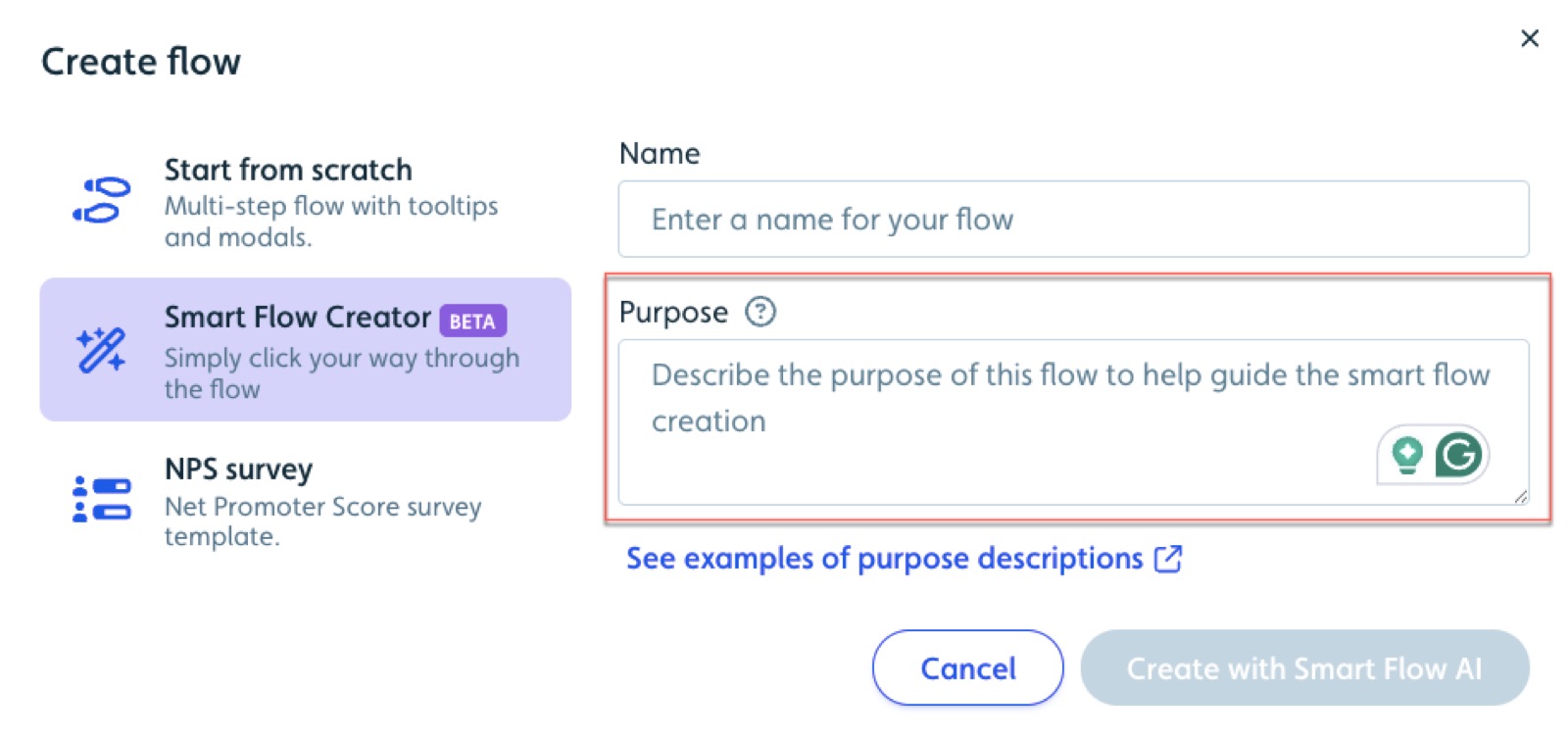
- Create flow offers 'Smart Flow Creator (BETA): Simply click your way through the flow' next to Start from scratch; the Purpose field 'directly impacts the quality of the flow' per the docs.
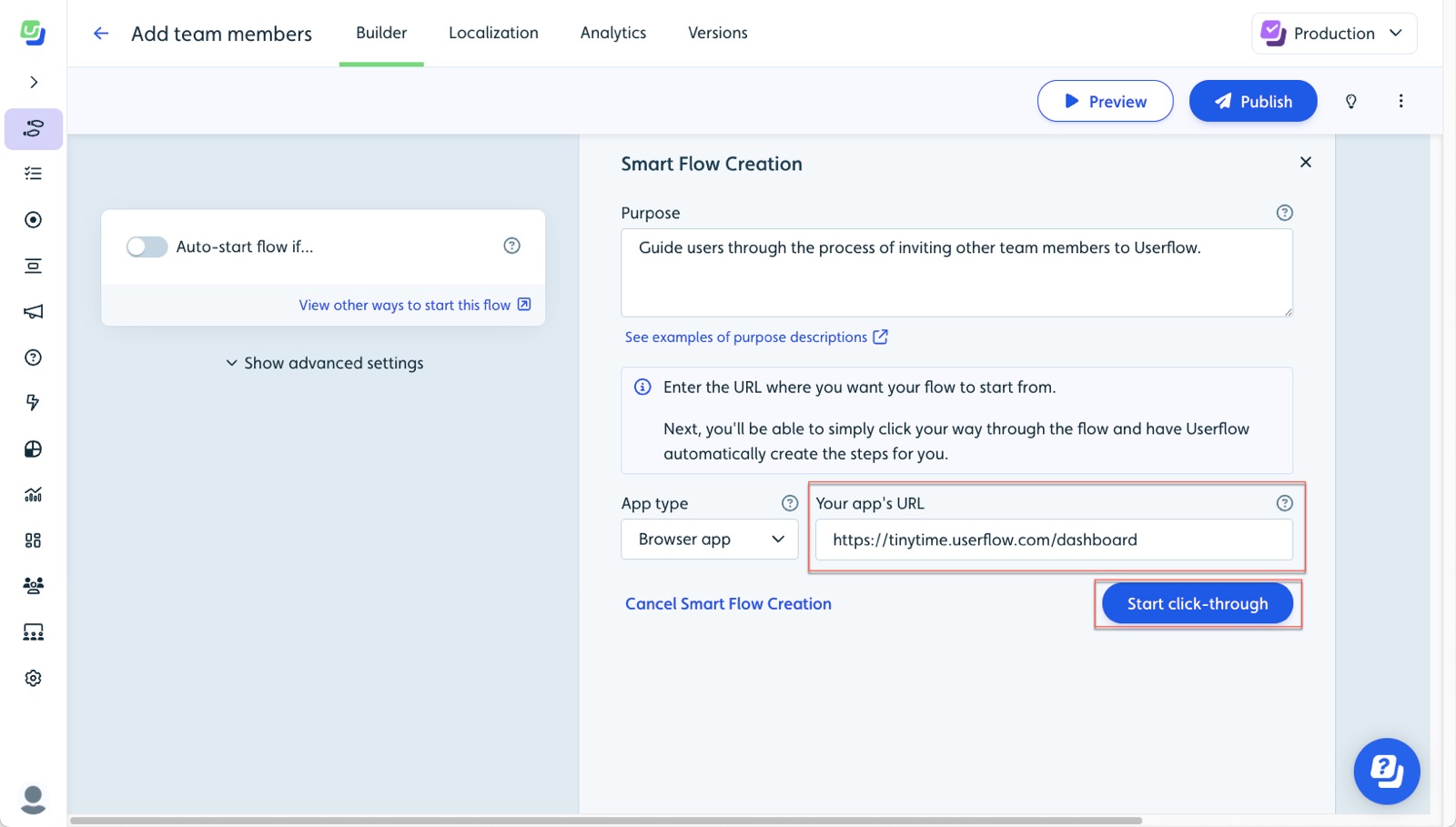
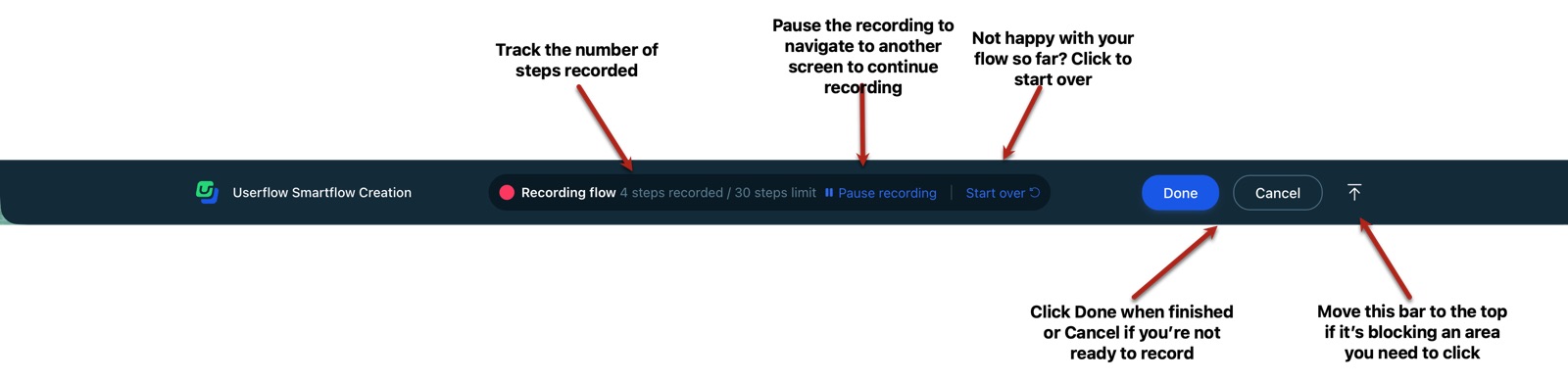
- After the purpose, you enter the app URL and hit 'Start click-through'; a bottom recording bar counts steps (30-step limit) with Pause, Start over, Done and Cancel.
- Generation is async: 'We are creating your new flow… we'll send you an email when the flow is ready.'
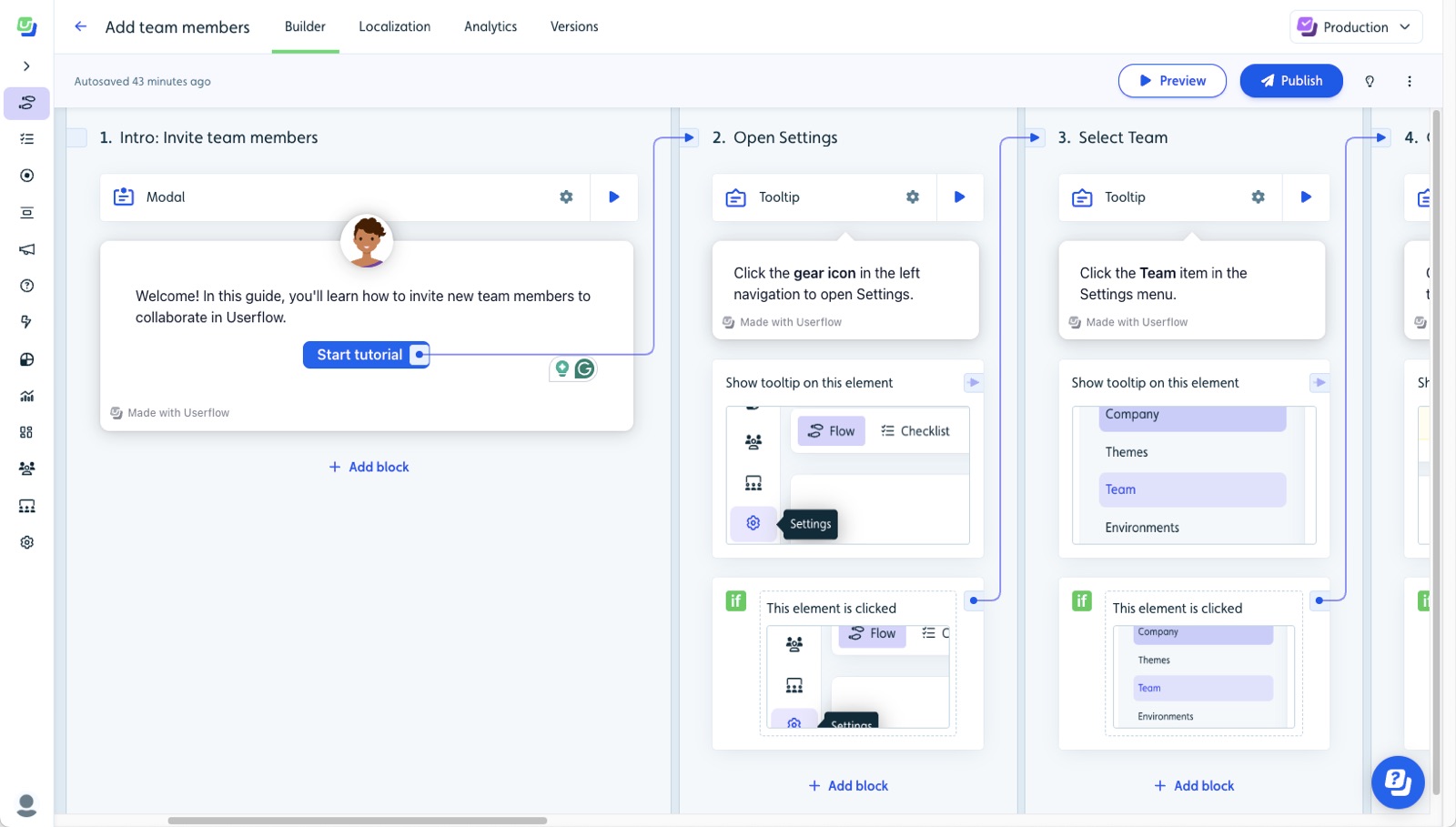
- The generated 'Add team members' flow shows an intro modal with 'Start tutorial' followed by tooltips ('Click the gear icon in the left navigation to open Settings') each advancing on 'This element is clicked'.
- The Adoption Agent (formerly AI Assistant) trains on website, knowledge base, Flows and Action flows, and can import Zendesk, Salesforce Knowledge or Intercom help centers even behind a login.
- When a question matches a Flow, the agent 'returns a matching Flow alongside its written answer' so the user starts the guided walkthrough from chat; Action flows show as a card and run only after the user clicks.
Patterns
record-to-flowpurpose promptai picks ui patternchat launches tour
Articles
- Creating AI-generated SmartflowsUserflow Help Centerby the team
- AI Assistant setup and knowledge base configurationUserflow Help Centerby the team
- AI Onboarding Flows to Build in 2026Userflow Blogby the team