Midjourney
A case study in onboarding through someone else's platform: through 2023 new users signed in on midjourney.com, authorized a Discord bot, joined the Discord server, passed captchas and Discord's own community onboarding, then added the bot to a server before generating anything. The 2024 web app replaced this with an Explore feed of community images and an "Imagine…" prompt bar, initially gated behind prior Discord usage.

Notes
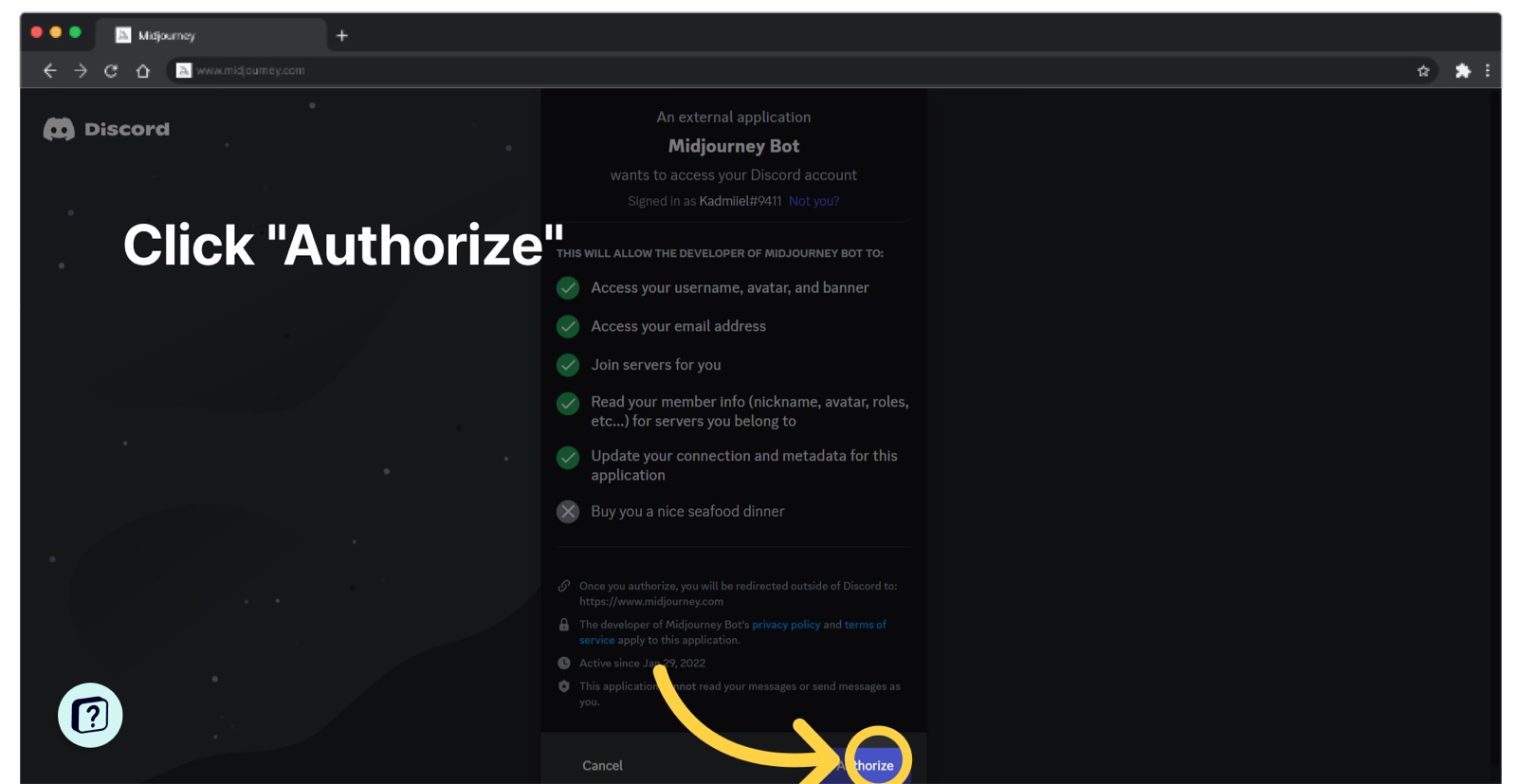
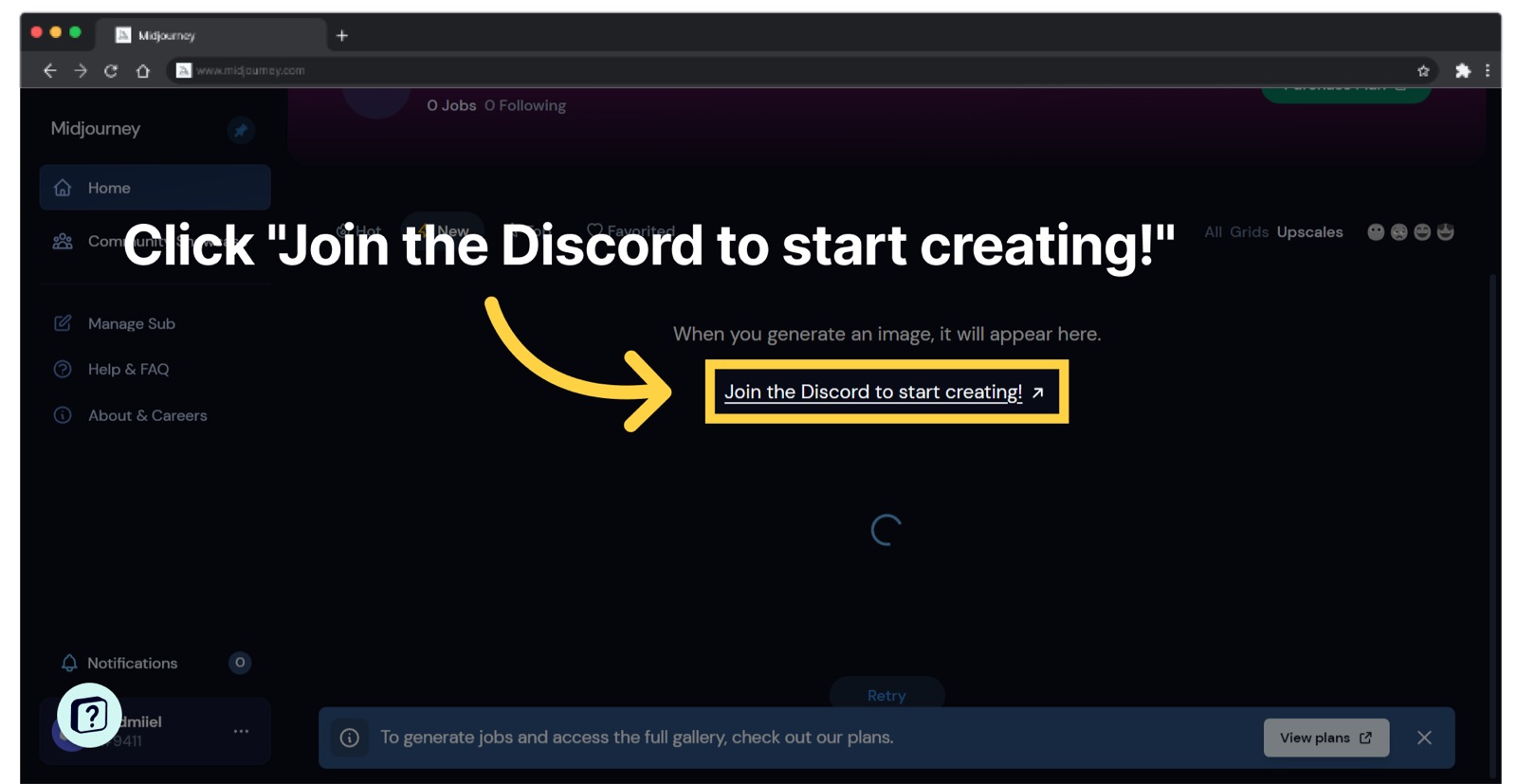
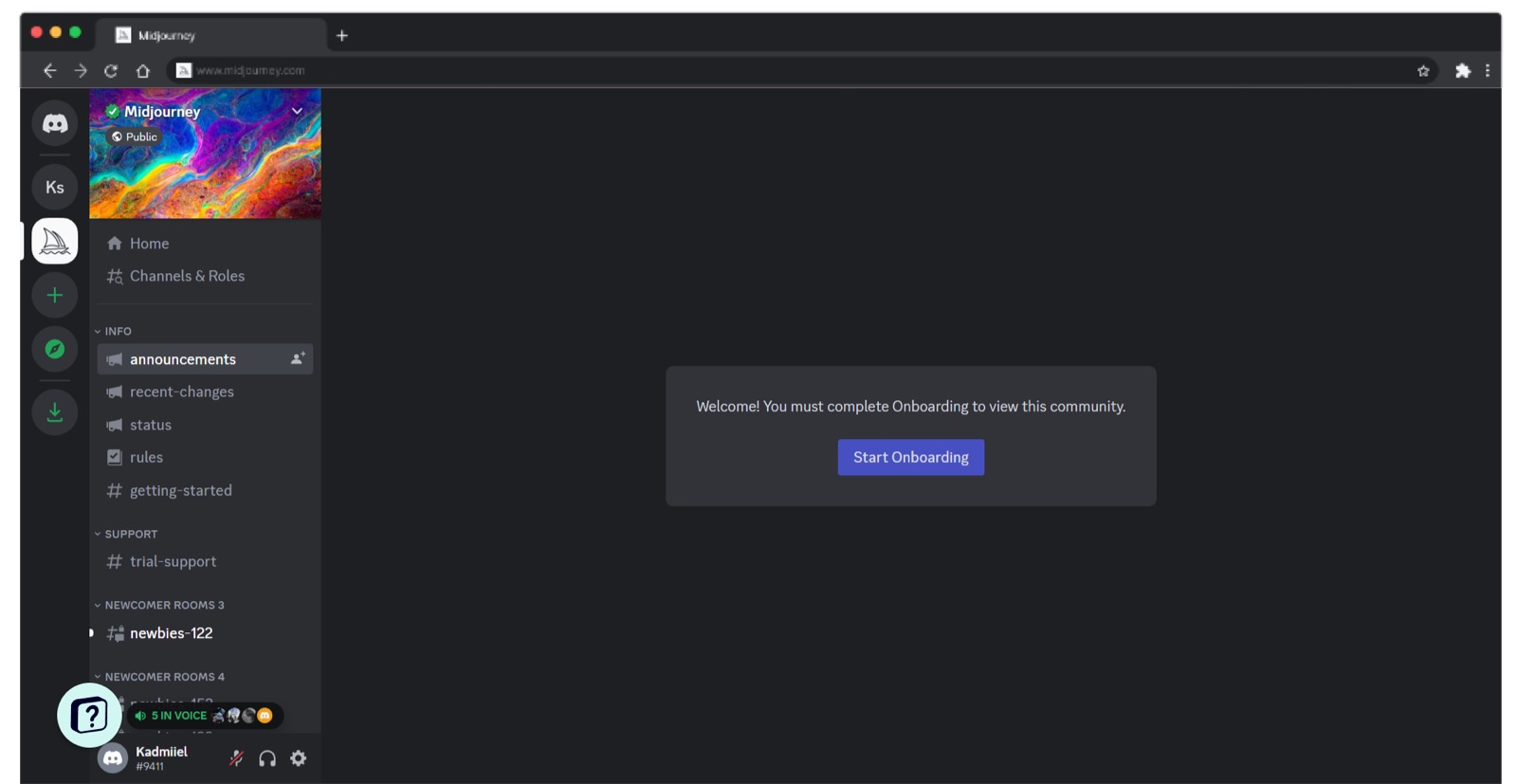
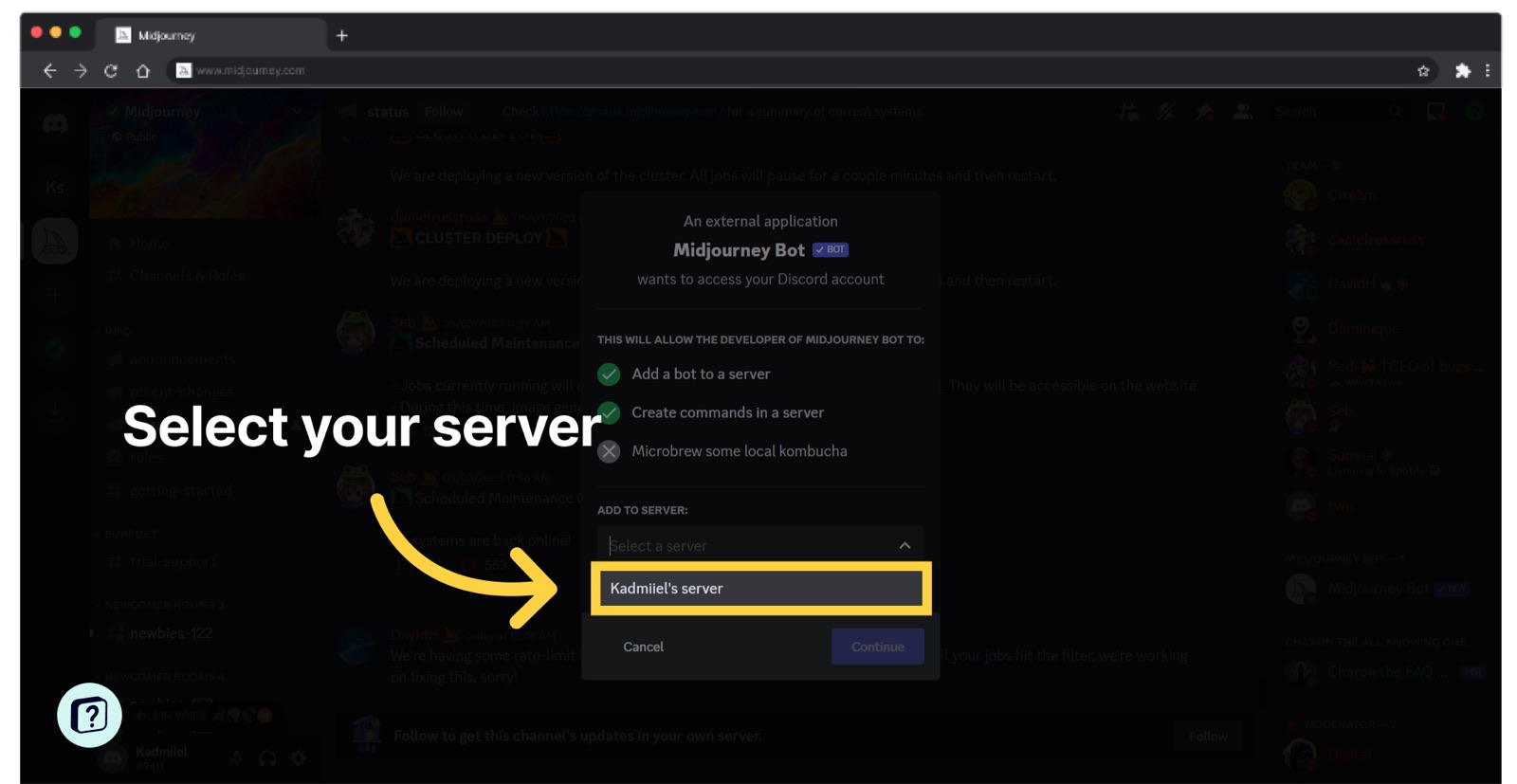
- Faqprime's 2023 walkthrough counts 13 screens from landing page to "All set!": Sign In → Discord OAuth "Authorize" (Midjourney Bot requests username, email, server joins, etc.) → "Join the Discord to start creating!" → Accept Invite → captcha → Discord's "Start Onboarding" gate → find Midjourney Bot → Add to Server → select server → Continue → authorize → second captcha.
- The pre-Discord web dashboard's empty state was just a "Join the Discord to start creating!" link and "When you generate an image, it will appear here" — the website could not create, only display.
- Two separate captcha checks and a Discord-native "You must complete Onboarding to view this community" gate sit between sign-in and the first prompt.
- How-To Geek (May 19, 2024) reports the new web interface was first limited to users who had generated 1,000 images on Discord, then "lowered way down to only 100 images" — access to the easier onboarding was earned through the harder one.
- The web alpha opens on Explore (Random / Hot / Top Day / Likes tabs, a Randomize button, and a "Search prompts" box) with the "Imagine…" bar pinned at the top, so the first screen is a gallery of what's possible plus the input to try it; sidebar also offers Rate Images and Rate Ideas.
- Per How-To Geek, generation settings (size, aesthetics, model) hide behind the sliders icon next to the prompt rather than being asked up front.
Patterns
third-party platform onboardingOAuth authorizecaptchacommunity gallery as homeusage-gated accessempty state with next step
Articles
- Onboarding on MidjourneyFaqprime (user flows)
- Midjourney Now Has Web Interface, Here's How to Use ItHow-To Geek