Lovable
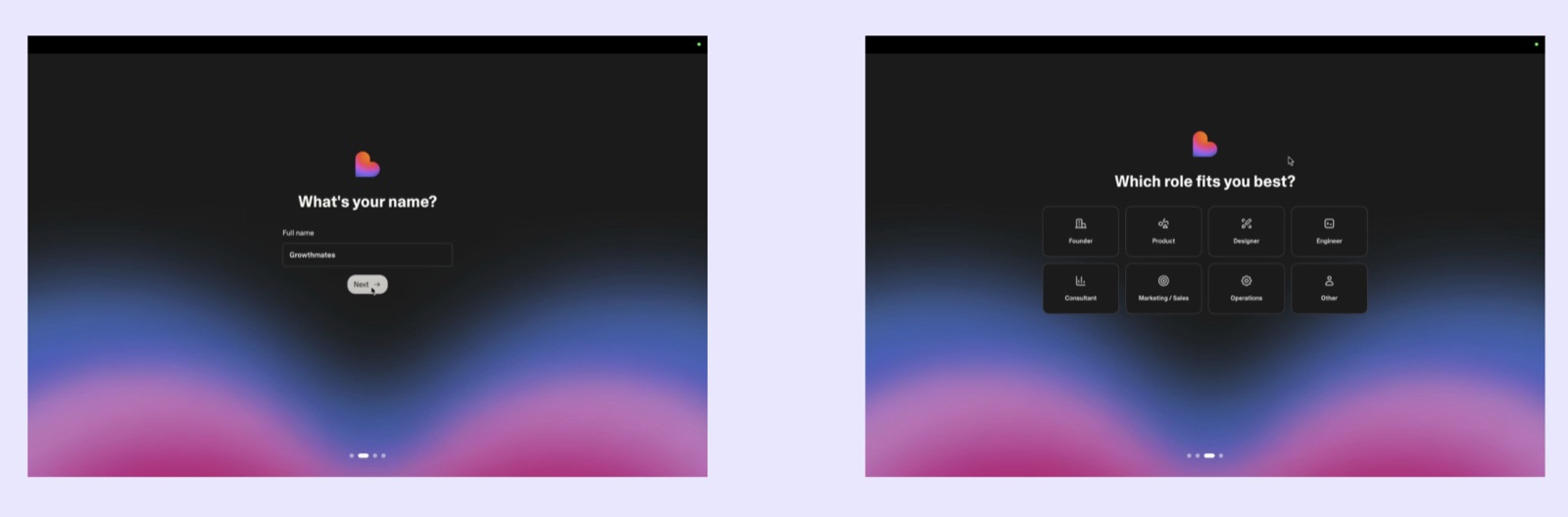
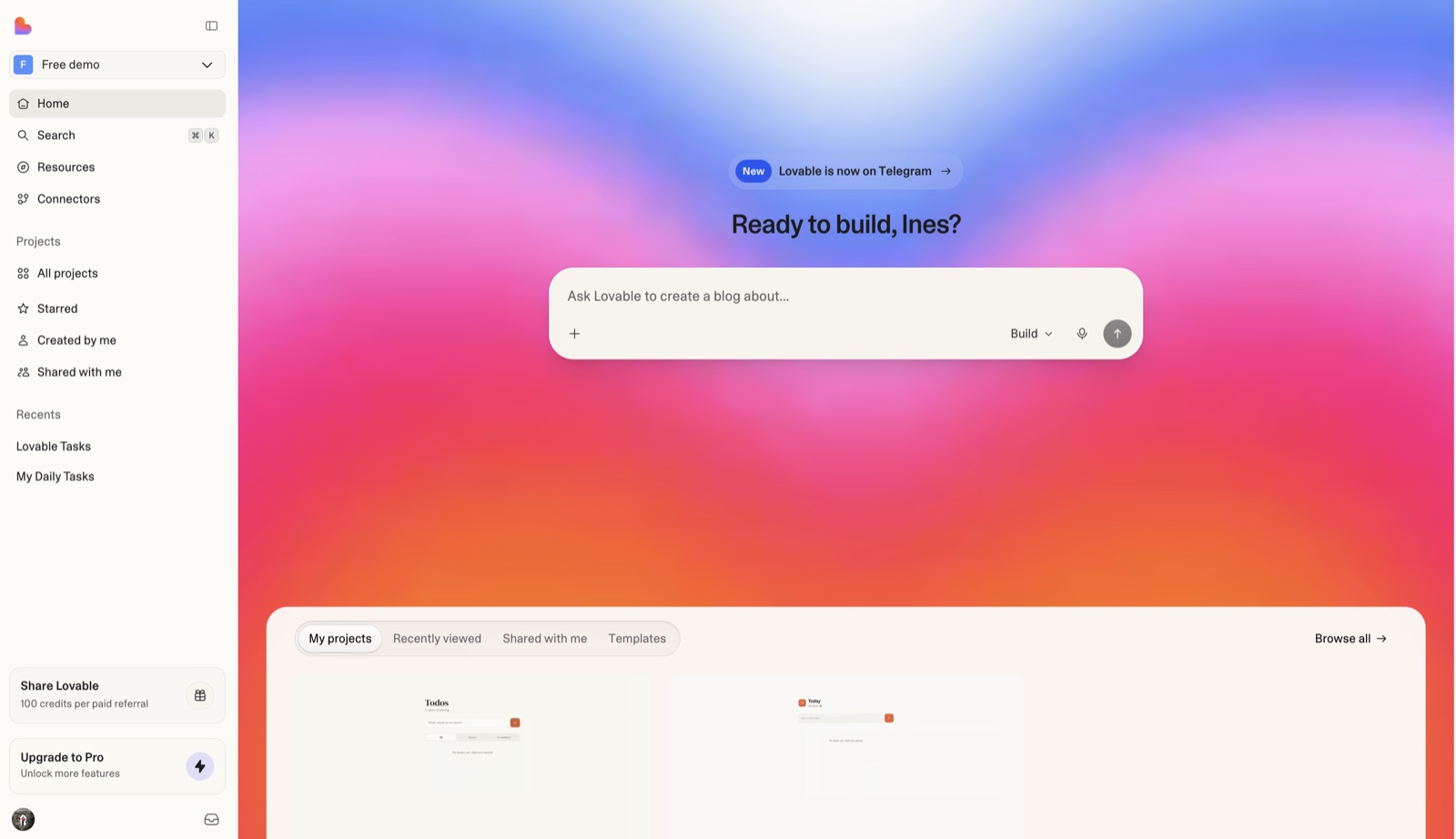
Sign-up auto-provisions a free personal workspace, then a short dark-mode profiling step (name, then role) runs before the user lands on a home screen that is one large prompt box ("Ready to build, <name>?") with a Build/Chat/Plan mode picker.
Notes
- Per the account docs, Lovable "automatically creates your first personal workspace on the free plan" right after sign-up (email/password, Google, GitHub, Apple, or SAML/OIDC SSO).
- Growthmates' teardown (Kate Syuma) found Lovable still collects profiling data after sign-up — only name and role — via one-question screens with a 4-dot progress indicator; role options are Founder, Product, Designer, Engineer, Consultant, Marketing/Sales, Operations, Other. She noted she expected to see work in progress on her prompt at that point, but it was missing.
- Free workspaces start with "5 daily build credits (up to 30 per month)"; the docs point new users to a Quick start estimated at 10 minutes.
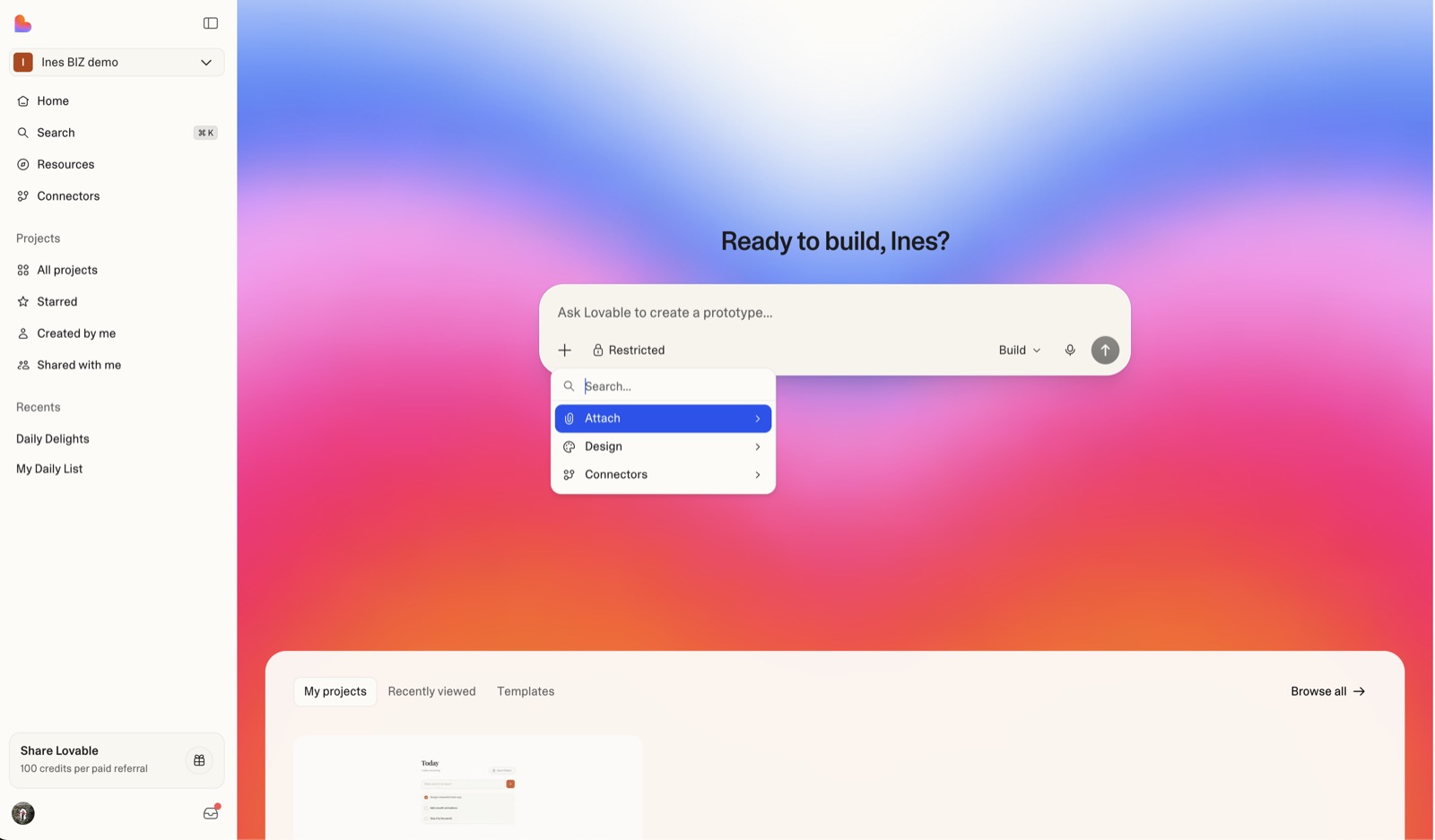
- Home screen headline greets by first name ("Ready to build, Ines?") over a full-bleed gradient; the placeholder rotates example intents ("Ask Lovable to create a blog about…", "…a prototype…").
- The mode dropdown next to send offers Build, Chat ("think through an idea" outside a project) and Plan ("investigates and writes a plan without changing code") — letting hesitant first-timers start without generating code.
- The + menu inside the prompt exposes Attach, Design (templates and design systems) and Connectors, so templates live inside the composer rather than a separate gallery step; a Templates tab also sits below the fold next to My projects.
- Growth hooks are on the first screen: a "New: Lovable is now on Telegram" pill above the headline, and sidebar cards for "Share Lovable — 100 credits per paid referral" and "Upgrade to Pro".
- Head of Growth Elena Verna says she barely worked on activation at first. At Lovable, activation happens inside the conversation with the agent, and the core agent team "thinks so much about that first generation". A better agent improves the first build and the hundredth at once (Lenny's Podcast, 2025-12-18, ~21:50-23:32).
- Verna says the goal is a "wow moment", not an aha moment: "that first preview generation after your first prompt". It won't be complete, but users think "This is possible?" and keep building. The growth team now writes agent instructions "in order for customers to activate better" (Lenny's Podcast, ~22:00 and ~53:00).
Patterns
role questionsingle prompt box homepersonalized greetingrotating placeholder examplesplan mode before buildtemplates inside composerauto-created workspacereferral creditsfirst generation as activation
Articles
- Create an accountLovable Docsby the team
- Dashboard overviewLovable Docsby the team
- The new AI growth playbook for 2026 | How Lovable hit $200M ARR in one year (Elena Verna)Lenny's Podcast (YouTube, 2025-12-18)by the team
- Your onboarding should become invisibleGrowthmates (Kate Syuma)