Figma (First Draft / Figma Make)
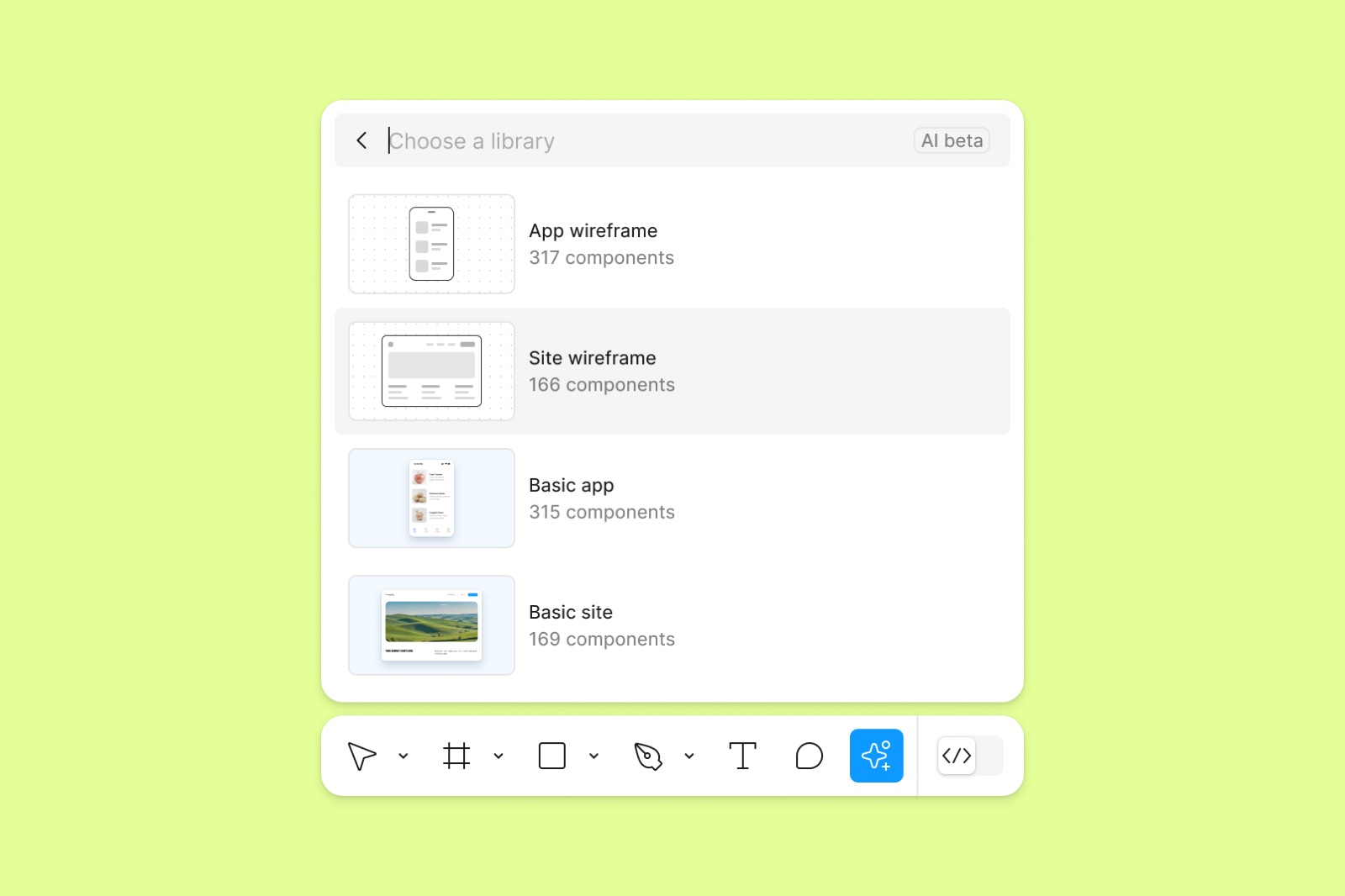
Figma's AI features start from a prompt on the canvas instead of an empty frame. First Draft asks the user to pick one of four component libraries (from lo-fi wireframe to hi-fi site) and then builds an editable first mockup.
Notes
- VP of Design Noah Levin says First Draft was renamed from Make Designs to present AI output as a starting point, not a finished design. It addresses the "tedium" at the start of a project by giving designers an AI-generated first draft to iterate on (Figma Blog, 2024-09-24).
- First Draft first asks for a library (App wireframe, Site wireframe, Basic app, Basic site), so the output uses real, editable components (Figma Blog).
- Dylan Field at Config: "you go into Figma Design, you see a blank canvas, how do we get you to create something as fast as possible? If you go into Figma Make, how do we get you to prompt and have an awesome experience very quickly?" He also mentioned an internal team called "Blockers" whose fixes showed up as gains in activation (Lenny's Podcast live at Config, 2024-06-30).
Patterns
prompt instead of blank canvaslibrary picker before generationeditable first draft
Articles
- Building a better First Draft for designersFigma Blog (Noah Levin, VP of Design)by the team
- Dylan Field live at Figma's Config: Intuition, simplicity, and the future of designLenny's Podcast (YouTube)by the team